


907
likes
22
comments
daily view 0
monthly view 0
Live Analytics
Comments 0
How to Create a Glossy Golden Blonde Hair Color with Koleston Perfect | Wella Professionals Analytics Table
Income Estimates for How to Create a Glossy Golden Blonde Hair Color with Koleston Perfect | Wella Professionals
Based on this YouTube video's total view count of 89.6K views and industry-standard rates, the estimated total earning is $63 - $179 through ad revenue. Historical data is not yet available to calculate daily, weekly, or monthly averages.
About How to Create a Glossy Golden Blonde Hair Color with Koleston Perfect | Wella Professionals
Explore How to Create a Glossy Golden Blonde Hair Color with Koleston Perfect | Wella Professionals with 89,604 views, 907 likes, and 22 comments. Experience the impact of this video content that has captured audience attention.
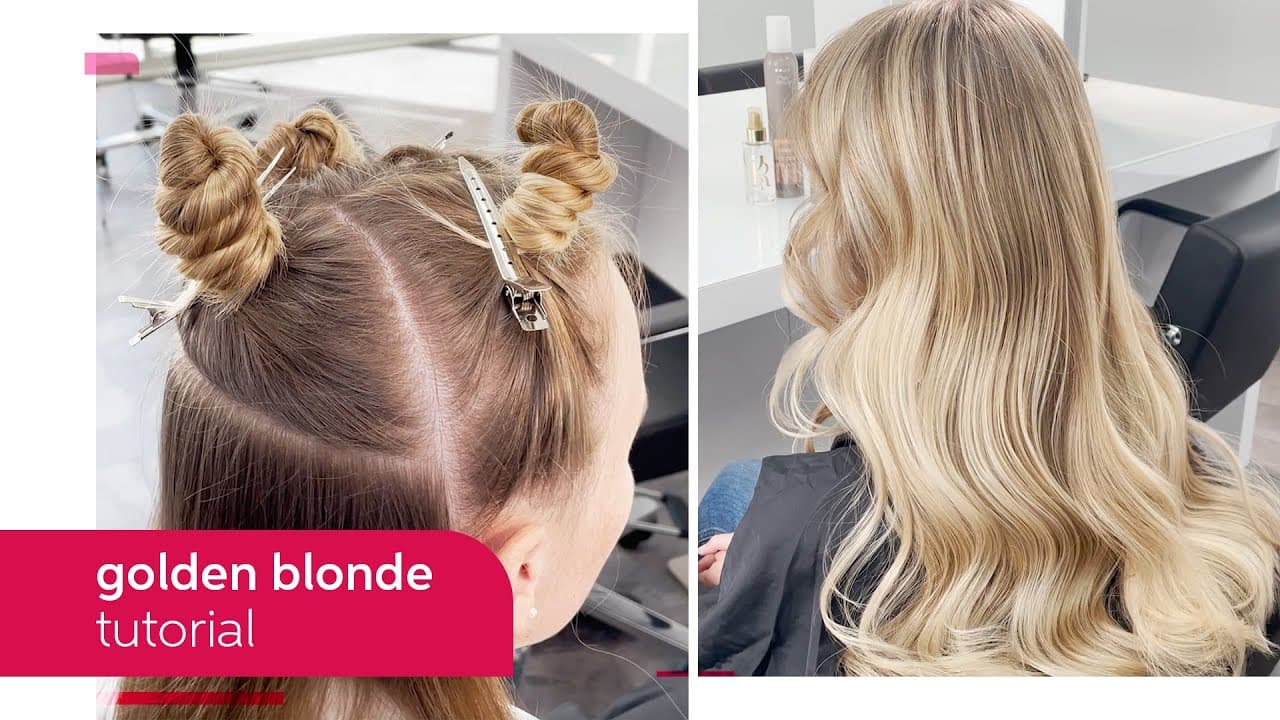
Join Wella passionista Beth Oakley as she creates a perfectly blended golden blonde hue using BlondorPlex and Koleston Perfect from Wella Professionals. Follow and learn how to create an amazing lightening technique with soft transition from the natural roots to blonde mid-lengths and ends. On top of the lightening Beth does a quick glossing technique that adds a subtle shadow to the luxurious blonde look. Follow the step-by-step tutorial below to create the same look for your client. Step 1 Start with lightening the hair. Take diagonal slices on the sides and tease them gently before applying the lightening formula to min-lengths and ends. Blend the lightener towards the roots on freehand. Finish the sides with a weave on the top section. Step 2 After both sides are done continue with horizontal slices in the back. Develop up to 50 min. Check that you have reached a pale yellow before rinsing. Step 3 After rinsing the lightener with Color Motion+ Shampoo and Blondor Seal & Care, apply Color Motion+ Pre-Treatment to towel dry hair. Step 4 Apply Koleston Perfect formula A to the underneath section. Avoid the root area to create a lived in feeling. Apply formula B the same way in the top section. Step 5 Rinse and style the hair. FORMULA Lightening: BlondorPlex + Welloxon Perfect 6% Glossing: Koleston Perfect A) 8/97 + 8/38 B) 10/38 + 10/97 PRODUCTS USED: https://www.wella.com/professional/en-UK/hair-color/blondor/blondorplex https://www.wella.com/professional/en-UK/hair-color/welloxon-perfect/6-volume-developer https://www.wella.com/professional/en-UK/hair-care/colormotion/color-protection-shampoo https://www.wella.com/professional/en-UK/hair-color/blondor/blonde-seal-care https://www.wella.com/professional/en-UK/hair-care/colormotion/pre-color-treatment https://www.wella.com/professional/en-UK/hair-color/koleston-perfect/koleston-perfect To discover more about our hair care and colour products, visit our pages: https://www.wella.com/professional/en-EN/hair-care https://www.wella.com/professional/en-EN/hair-color Subscribe to the Wella Professionals channel for the latest hair trends, tutorials and we’ll notify you every time we upload a new video. You can also find us on: - Instagram: http://www.instagram.com/WellaHair - Facebook: https://www.facebook.com/wellaprofessionals - Twitter: http://www.twitter.com/WellaPro - Our website: http://www.wella.com"
About YouTube Real-Time View Count
With SocialCounts.org’s view counter, track your YouTube video’s live view count and YouTube likes count in real time with fast, reliable updates.
Watch every YouTube video live view count rise with our real-time YouTube views tracker—built for accuracy and minimal delay.
Follow YouTube real time views as they happen, using our dedicated view counter for YouTube videos.
Get up-to-date live view count on YouTube and see real-time growth with SocialCounts.org’s smart tracking tools.
Embed Widget
Parameters:
fullscreen=true- Fullscreen countergraph=true- Live graph chartcounter=0/1/2- Select counter (0=likes, 1=views, 2=comments)
URL
Click to copy the embed URL to your clipboard