

64
likes
20
comments
daily view 0
monthly view 0
Live Analytics
Comments 0
UBUNTU 22.04 INSTALLATION - DETAILED GUIDE #ubuntu22 #linuxforbeginners #ubuntuinstallation Analytics Table
Income Estimates for UBUNTU 22.04 INSTALLATION - DETAILED GUIDE #ubuntu22 #linuxforbeginners #ubuntuinstallation
Based on this YouTube video's total view count of 5.53K views and industry-standard rates, the estimated total earning is $4 - $11 through ad revenue. Historical data is not yet available to calculate daily, weekly, or monthly averages.
About UBUNTU 22.04 INSTALLATION - DETAILED GUIDE #ubuntu22 #linuxforbeginners #ubuntuinstallation
Explore UBUNTU 22.04 INSTALLATION - DETAILED GUIDE #ubuntu22 #linuxforbeginners #ubuntuinstallation with 5,534 views, 64 likes, and 20 comments. Experience the impact of this video content that has captured audience attention.
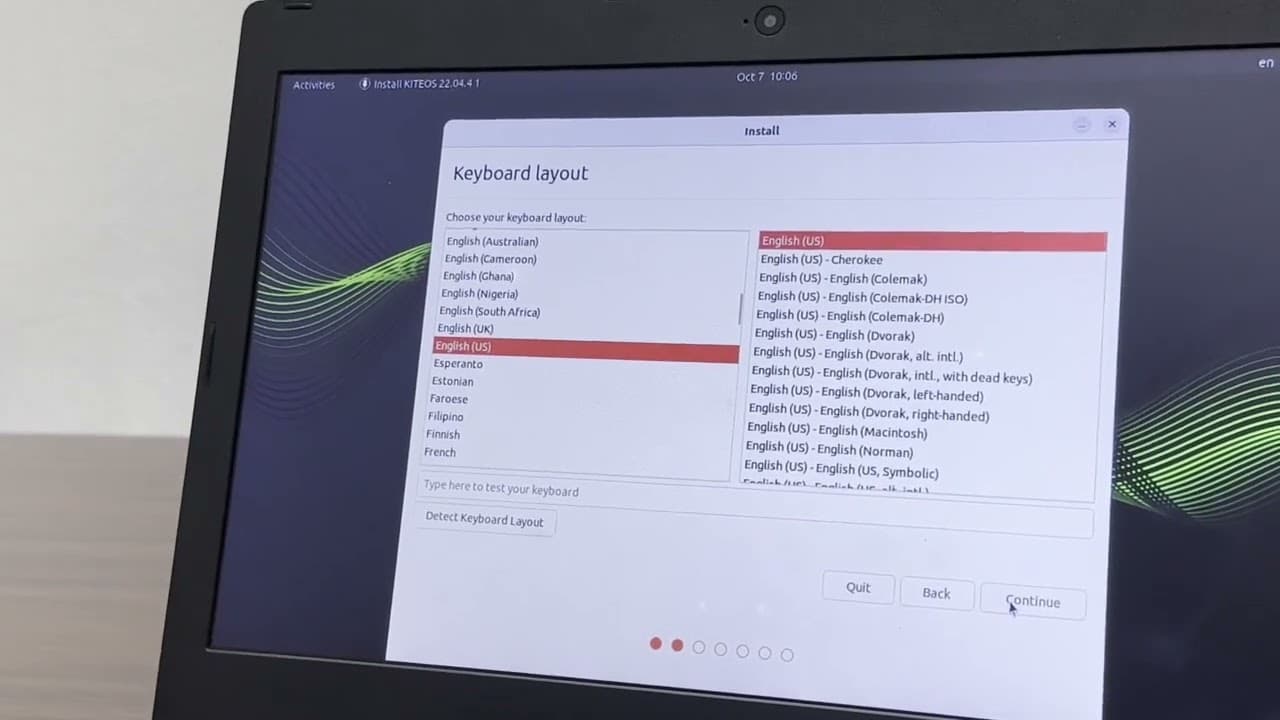
#UbuntuInstallation,#Ubuntu22.04,#InstallUbuntu,#LinuxInstallation,#UbuntuTutorial, #HowToInstallUbuntu,#UbuntuSetup,#InstallLinux,#UbuntuGuide,#LinuxForBeginners #UbuntuDesktop,#UbuntuLinux,#UbuntuInstallGuide,#UbuntuISO,#UbuntuBootableUSB #UbuntuTips,#LinuxTutorial,#LinuxOS,#UbuntuInstallationGuide,#DualBootUbuntu #UbuntuTutorial2024 Installing Ubuntu 22.04 is a straightforward process that begins with downloading the ISO file from the official Ubuntu website. Once downloaded, you'll need to create a bootable USB drive or DVD to install the operating system. Tools like Rufus (for Windows) or Etcher (for macOS/Linux) can help you create the bootable media. After preparing the installation media, restart your computer and boot from the USB or DVD. The Ubuntu installer will load, and you'll be greeted with a friendly interface that guides you through the installation steps, including selecting your language, keyboard layout, and installation type. You can choose to install Ubuntu alongside another operating system, replace an existing OS, or manually partition your disk if you prefer more control over the setup. During installation, Ubuntu also prompts you to set up your user account, password, and time zone. It will automatically download and install any necessary updates during the process. The installation typically takes around 15-30 minutes depending on your system's performance. Once the installation is complete, you'll be asked to restart your computer. After rebooting, remove the installation media, and you'll be greeted with the Ubuntu 22.04 login screen. From there, you can start exploring the operating system, install software, and customize it to suit your needs. Ubuntu 22.04 offers a smooth, user-friendly experience with its GNOME desktop environment and is perfect for both beginners and experienced Linux users alike. https://clipzag.com/watch?v=8Tn8lrixF64 https://heartvod.com/play=8Tn8lrixF64 https://www.youtube-nocookie.com/embed/8Tn8lrixF64 https://www.newtv.co.th/demo/web/video.php?v=8Tn8lrixF64 www.hribi.net/video_youtube/startup-summit /8Tn8lrixF64 https://polsy.org.uk/play/yt/?vurl=https://www.youtube.com/watch?v=8Tn8lrixF64 https://safeshare.tv/x/8Tn8lrixF64# https://video.link/watch?v=8Tn8lrixF64 https://www.youtuberepeater.com/watch?v=8Tn8lrixF64#gsc.tab=0 https://youplay.nimtools.com/watch/?v=8Tn8lrixF64 https://www.ytrepeat.com/watch/?v=8Tn8lrixF64 https://salda.ws/video.php?id=8Tn8lrixF64 https://deturl.com/play.php?v=8Tn8lrixF64 https://www.topsheetmusic.eu/sysmusic/templates/youtube.php?v=8Tn8lrixF64 https://www.noxinfluencer.com/youtube/video-analytics/8Tn8lrixF64 https://listenonrepeat.com/watch/?v=8Tn8lrixF64#Our_Year_of_AI_Innovation_|_labs_google https://culturevein.com/videos/8Tn8lrixF64 https://lu.etvplayvideos.com/8Tn8lrixF64/v https://deturl.com/play.php?v=8Tn8lrixF64 https://lu.etvplayvideos.com/8Tn8lrixF64/w https://www.vtomb.com/video/8Tn8lrixF64 https://canal50.com/player-2020.asp?video=8Tn8lrixF64&letra=4280&version=movil&autoplay=1 https://salda.ws/video.php?id=8Tn8lrixF64 https://listenonrepeat.com/watch/?v=8Tn8lrixF64#Our_Year_of_AI_Innovation_|_labs_google https://heartvod.com/play=8Tn8lrixF64 https://gazetaolsztynska.pl/gminaelk/tv/video/youtube/8Tn8lrixF64 https://socialcounts.org/youtube-video-live-view-count/8Tn8lrixF64#google_vignette https://lu.etvplayvideos.com/8Tn8lrixF64/video-not-available https://fooyoh.com/nowwatch/watch/8Tn8lrixF64 https://trendtube.wdeco.jp/playlist/shadowbox/?8Tn8lrixF64 https://www.musiclessons.com/youtube/watch?v=8Tn8lrixF64 https://viewsync-2.appspot.com/player.html?v=8Tn8lrixF64 https://www.ghanawebsolutions.com/videos.php?v=8Tn8lrixF64 https://www.stb.hu/youtube/8Tn8lrixF64 https://pakvim.net/watch/8Tn8lrixF64 https://yt.artemislena.eu/watch?v=8Tn8lrixF64 https://fooyoh.com/nowwatch/watch/8Tn8lrixF64 https://trendtube.wdeco.jp/playlist/shadowbox/?8Tn8lrixF64 https://yewtu.be/watch?v=8Tn8lrixF64
About YouTube Real-Time View Count
With SocialCounts.org’s view counter, track your YouTube video’s live view count and YouTube likes count in real time with fast, reliable updates.
Watch every YouTube video live view count rise with our real-time YouTube views tracker—built for accuracy and minimal delay.
Follow YouTube real time views as they happen, using our dedicated view counter for YouTube videos.
Get up-to-date live view count on YouTube and see real-time growth with SocialCounts.org’s smart tracking tools.
Embed Widget
Parameters:
fullscreen=true- Fullscreen countergraph=true- Live graph chartcounter=0/1/2- Select counter (0=likes, 1=views, 2=comments)
URL
Click to copy the embed URL to your clipboard