


200
likes
15
comments
daily view 0
monthly view 0
Live Analytics
Comments 0
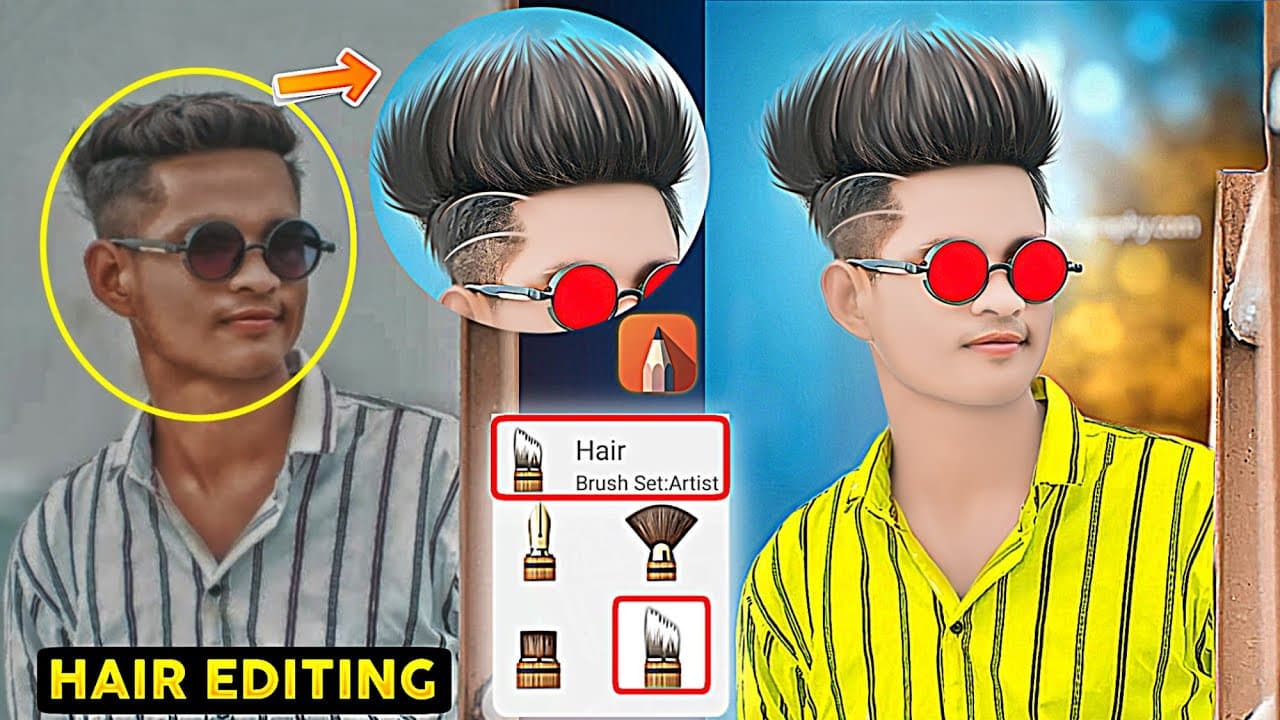
Autodesk SketchBook Se Hair Editing Kaise Karen | Autodesk Full Tutorial | Face Smooth Editing Analytics Table
Income Estimates for Autodesk SketchBook Se Hair Editing Kaise Karen | Autodesk Full Tutorial | Face Smooth Editing
Based on this YouTube video's total view count of 3.98K views and industry-standard rates, the estimated total earning is $3 - $8 through ad revenue. Historical data is not yet available to calculate daily, weekly, or monthly averages.
About Autodesk SketchBook Se Hair Editing Kaise Karen | Autodesk Full Tutorial | Face Smooth Editing
Explore Autodesk SketchBook Se Hair Editing Kaise Karen | Autodesk Full Tutorial | Face Smooth Editing with 3,980 views, 200 likes, and 15 comments. Experience the impact of this video content that has captured audience attention.
Autodesk SketchBook Se Hair Editing Kaise Karen | Autodesk Full Tutorial | Face Smooth Editing In today's video I will teach you autodesk sketchbook hair editing & face smooth editing. And with that you will learn how to add hair color, hair cut, hair Black, etc. If you want to learn this types of hair editing and Face smooth photo editing in Hindi then watch this video beginning to end. thank you Quaries Solve 1. sketchbook hair editing kaise kare 2. autodesk sketchbook editing hair cutting 3. autodesk sketchbook hair editing hindi 4. Autodesk SketchBook face smooth th photo editing 5. Autodesk sketchbooks se photo editing kaise karen. ___________/ ⬇️ Background ⬇️ \__________ 💥 Background & Png ⬇️ https://drive.google.com/file/d/1j1HnDLAgoB3ES-ZJmXE3FgyvKqBUPL_H/view?usp=drivesdk ________________/ Setup \__________________ 🎙️Boya By M1 (Mic) - https://amzn.to/3s1qSU4 🟩Green Screen - https://amzn.to/3kJEEqF ⬛Black Screen - https://amzn.to/3OOKepe 📱My 2nd Mobile - https://amzn.to/3OKgl9J 📱My 1st Mobile - https://amzn.to/3OL0ZBH ⚗️Tripod 1 - https://amzn.to/3ORfkge ⚗️Tripod 2 - https://amzn.to/3s1Fx1P 💡Ring Light - https://amzn.to/3vWpLGm 🌳Plastic Tree - https://amzn.to/3FgDZ9D 🌲Plastic Tree - https://amzn.to/3LDOPZG 📷Camera - https://amzn.to/3Lv0VEf 🔭Lens - https://amzn.to/3s0CZAI 🧮Rgb Light - https://amzn.to/3LvYhOp ____________/ *️⃣Follow Me*️⃣ \____________ 👷ALL SOCIAL MEDIA LINk👇 🌀 Instagram 👇👇👇👇 https://www.instagram.com/pabitra_editography/feed 🌀 Facebook 👇👇👇👇 https://m.facebook.com/pabitra.hazra.399 🌀Twitter👇👇👇👇 https://twitter.com/PEditography?s=09 🌀Telegram group 👇👇👇👇 https://t.me/pabitraeditography _____________/ Useful Video \______________ ✅Best CB Editing ⤵️ https://youtu.be/SmHul5Y1pEo ✅Oil painting photo Editing⤵️ https://youtu.be/Mn6pKTxx4zk ✅ Digital oil paint ⤵️ https://youtu.be/15N79SR3_HE ✅Face Smooth ⤵️ https://youtu.be/rPC1YA74RrQ ✅ Autodesk SketchBook backgrund change ⤵️ https://youtu.be/v4RCYC5LoYU ________________/ Apps \__________________ 💠 App - Autodesk Sketchbook __________________________________________ 🚫Disclaimer Video Is For Educational Purpose Only. Copyright Disclaimer Under Section 107 of the Copyright Act 1976, allowance is made for "fair use" for purposes such as criticism, comment, news reporting, teaching, and research. Fair use is a use permitted by copyright statute that might otherwise be infringing. Non-profit, educational or personal use tips the balance in favor of fair use. __________________________________________ Thanks for watching 😘❤️🙏🏻 #hairediting #autodeskhairediting #facesmoothediting #stylishphotoediting #autodesksketchbook #autodeskfacesmoothediting #photoediting #pabitraeditography #haircut
About YouTube Real-Time View Count
With SocialCounts.org’s view counter, track your YouTube video’s live view count and YouTube likes count in real time with fast, reliable updates.
Watch every YouTube video live view count rise with our real-time YouTube views tracker—built for accuracy and minimal delay.
Follow YouTube real time views as they happen, using our dedicated view counter for YouTube videos.
Get up-to-date live view count on YouTube and see real-time growth with SocialCounts.org’s smart tracking tools.
Embed Widget
Parameters:
fullscreen=true- Fullscreen countergraph=true- Live graph chartcounter=0/1/2- Select counter (0=likes, 1=views, 2=comments)
URL
Click to copy the embed URL to your clipboard