

190
likes
55
comments
daily view 0
monthly view 0
Live Analytics
Comments 0
YouTube Live Stream Key Error - Troubleshooting Analytics Table
Income Estimates for YouTube Live Stream Key Error - Troubleshooting
Based on this YouTube video's total view count of 50.3K views and industry-standard rates, the estimated total earning is $35 - $101 through ad revenue. Historical data is not yet available to calculate daily, weekly, or monthly averages.
About YouTube Live Stream Key Error - Troubleshooting
Explore YouTube Live Stream Key Error - Troubleshooting with 50,380 views, 190 likes, and 55 comments. Experience the impact of this video content that has captured audience attention.
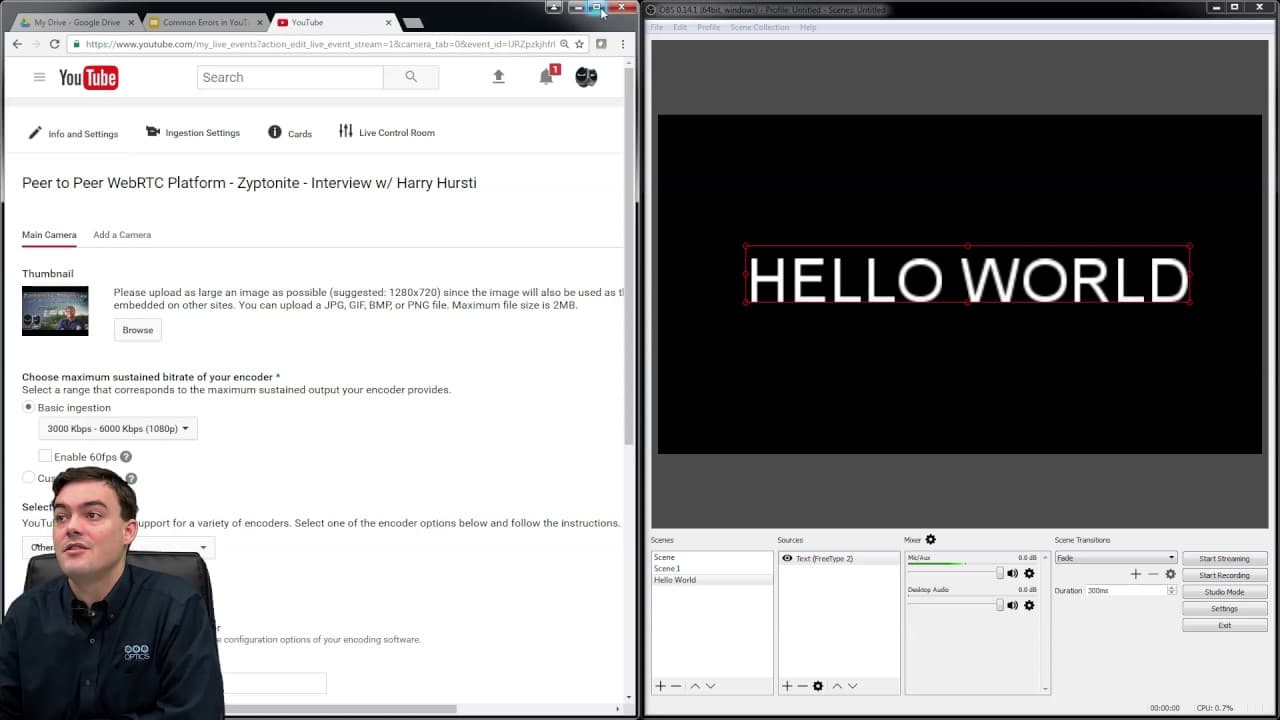
Common Error #1 - The Stream Key Error There are two ways to live stream on YouTube. First, you can stream using your “Stream Now” panel in the creator studio which is essentially your channels live to the world page. The URL for this live stream is always the same, making it easy to direct your user base to (it looks something like youtube.com/c/YourChannel/live. This stream option is used by new stations and 24/7 broadcasting users because the statistics are attributed to the channel itself. If you want to show up in the “live” YouTube channel which has over 2 million subscribers this is the way to do so. Download our YouTube Live Troubleshooting Guide Here - http://ptzoptics.com/landing/youtube-live-guide.html Overview of YouTube Live Troubleshooting - https://www.youtube.com/watch?v=u6BeQyl5wrQ Error 1 - Stream Key Issue - https://www.youtube.com/watch?v=JlNRpy-c0Fs Error 2 - Video Enhancements - https://www.youtube.com/watch?v=oIVeCxG5CLk Error 3 - Copyright Disputes - https://www.youtube.com/watch?v=WqATzjFvt5k I have never had an issue live streaming to my channel stream key and we did over 2 months of 24/7 live streaming on our channel (Learn how to set up a 24/7 livestream here). YouTube says the “Stream Now” is still in “BETA” but I have found it to be more stable than pre-scheduled events. The second way to live stream on YouTube is the ability to schedule a live event. This is my preferred method for a couple of reasons: YouTube creates a nice “scheduled live show” playlist you can display on your channel homepage for all your pre-scheduled events. I love this because the playlist is automated and I don't have to manually add each event. Once scheduled YouTube gives you an event page you can display with a thumbnail. This page is just like a normal YouTube video and you can embed the event on your webpage. Scheduled Events are the only way to use YouTube’s “Multiple Camera” feature allowing you to send up to 6 different cameras to the same event. I rarely use this feature for our live show but I love the concept of allowing users to choose which camera they want to view. Finally, unlike “live now” all of the views during your live show are attributed to your on-demand recording (live now attributes the views to your channel, which is only important if you plan to use that regularly) So, as you can see from my list above there are quite a few benefits to pre-scheduled YouTube Live events. BUT, there is a FFMPEG error I am continually running into with pre-scheduled streams that have been in the system for roughly 3 weeks or more. Basically, when you schedule a live stream YouTube assigns a unique stream key to that event. It usually works just fine, but I have found after a few weeks, for no explainable reasons the stream key will no longer initiate a secure stream to YouTube’s server. How to troubleshoot YouTube Live stream key / FFMPEG Exited error? When you find this error it’s quite annoying because you are likely just about to start your live show. So, first of all you need to initiate your live stream at least 30-45 minutes before your scheduled time. If your stream initiates properly you have nothing to worry about. But, I have found repeatedly that events scheduled over 1 month in advance usually have to deleted and republished with a new stream key. Therefore it’s a best practice to test the live stream early, before you send out any emails or social media posts linking to your live show. Only send out a link to your pre-scheduled event once you know that your live stream has been established properly. Download our free jump start kit here: http://ptzoptics.com/landing/live-streaming-assets.html Download our free eBook here: http://ptzoptics.com/landing/ebook.html Download our 3D Models and/or request a 3D Technology Layout - http://ptzoptics.com/landing/3D-PTZ.html Watch our Latest Friday Live Stream: https://www.youtube.com/watch?v=QItkvlnhQyM&list=PLyY0t7zWqRQoVWffzTC2B7eWwO0DqdCFC View Upcoming Live Webinars: https://www.youtube.com/channel/UCa-H8O_q6M6P9XkgLmzxxDw/videos?shelf_id=1&live_view=502&sort=dd&view=2 Watch our Latest Company VLOG: https://www.youtube.com/playlist?list=PLyY0t7zWqRQoJXccjLRlCVIvGQ_CbiR95 Music Credit VLOG: https://www.youtube.com/watch?v=8E1jS_fkjM8 Hashtags: #ptzoptics #livestreaming #tech #videoproduction #PTZCameras #streamingmedia #webinar #collaboration
About YouTube Real-Time View Count
With SocialCounts.org’s view counter, track your YouTube video’s live view count and YouTube likes count in real time with fast, reliable updates.
Watch every YouTube video live view count rise with our real-time YouTube views tracker—built for accuracy and minimal delay.
Follow YouTube real time views as they happen, using our dedicated view counter for YouTube videos.
Get up-to-date live view count on YouTube and see real-time growth with SocialCounts.org’s smart tracking tools.
Embed Widget
Parameters:
fullscreen=true- Fullscreen countergraph=true- Live graph chartcounter=0/1/2- Select counter (0=likes, 1=views, 2=comments)
URL
Click to copy the embed URL to your clipboard