


1,086
likes
0
comments
daily view 0
monthly view 0
Live Analytics
Comments 0
How to Brush with Oral-B iO Electric Toothbrush (Step-by-Step Guide) Analytics Table
Income Estimates for How to Brush with Oral-B iO Electric Toothbrush (Step-by-Step Guide)
Based on this YouTube video's total view count of 262K views and industry-standard rates, the estimated total earning is $183 - $524 through ad revenue. Historical data is not yet available to calculate daily, weekly, or monthly averages.
About How to Brush with Oral-B iO Electric Toothbrush (Step-by-Step Guide)
Explore How to Brush with Oral-B iO Electric Toothbrush (Step-by-Step Guide) with 262,138 views, 1,086 likes, and 0 comments. Experience the impact of this video content that has captured audience attention.
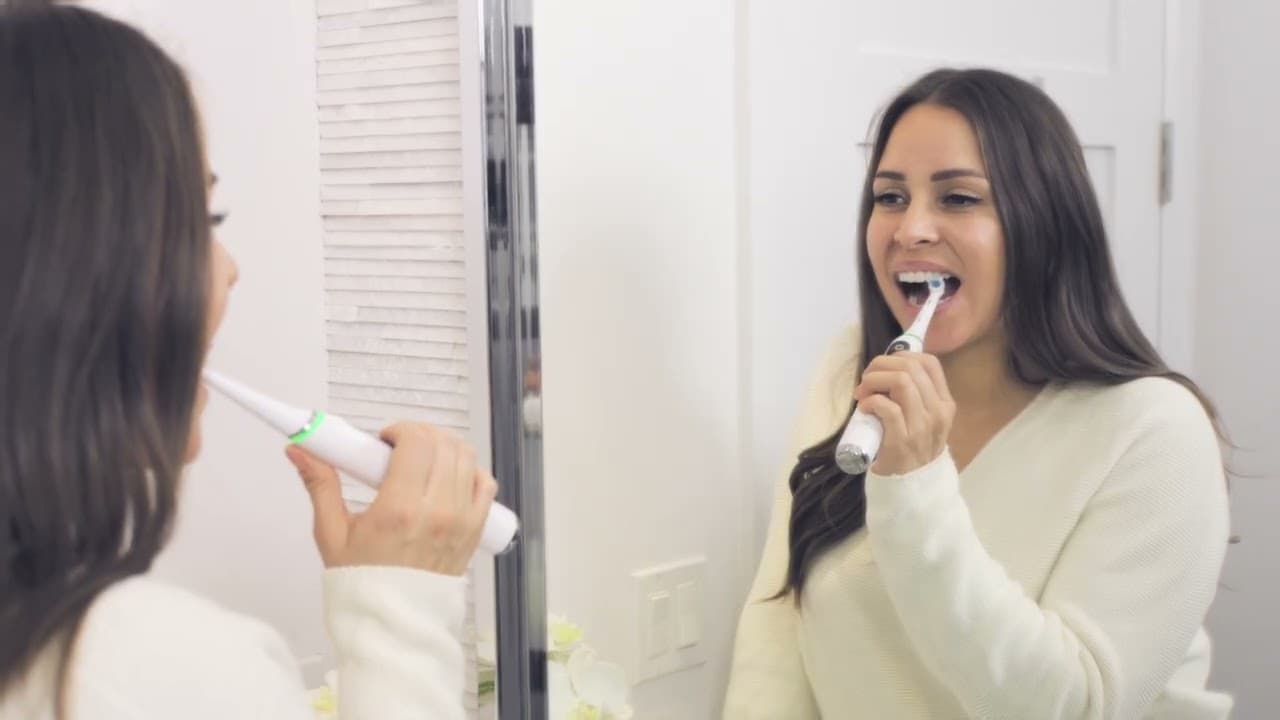
Learn how to use your Oral-B iO electric toothbrush properly with this comprehensive, step-by-step guide recommended by dental professionals. To maximize your oral hygiene and remove plaque effectively, follow the proper technique: avoid manual scrubbing, guide the round brush head to cup each individual tooth, and hold it in place along the gumline for three to four seconds before moving to the next. Follow this complete daily brushing and maintenance routine: 1. Setup: Wet the brush head, turn off the water, and apply a pea-sized amount of Crest toothpaste. Choose your desired brushing mode before switching the handle on inside your mouth. 2. Smart Guidance: Watch the built-in Smart Pressure Sensor ring. Green indicates optimal pressure for thorough plaque removal, while red warns that you are pressing too hard. 3. App Integration: Pair your handle with the official Oral-B app to track real-time coverage and ensure no zones are missed during your dentist-recommended 2-minute session. 4. Post-Brush Maintenance: Rinse the brush head and handle under water, dry them thoroughly with a towel, and store them separately. Replace the brush head every 3 months. [00:00:00] Intro: Dental professional recommendations for improving oral health [00:00:27] Why dentists recommend upgrading to the Oral-B iO platform [00:00:55] Step 1: Activating the toothbrush handle from its charging base [00:01:02] Step 2: Wetting the brush head and applying a pea-sized amount of toothpaste [00:01:20] Step 3: Toggling and choosing your personalized brushing mode setting [00:01:25] Correct technique for brushing back molars without over-opening your mouth [00:01:32] Tracking the Smart Pressure Sensor: Green vs. red indicator lights explained [00:01:42] Positioning the round brush head and bristles directly along the gumline [00:01:50] Spreading time efficiently: Spending 3 to 4 seconds on each individual tooth [00:01:56] Pairing your smart toothbrush with the Oral-B App for real-time tracking [00:02:02] Completing the dentist-recommended 2-minute timer for a happy face alert [00:02:06] Step 4: Cleaning, drying, and storing the brush head and handle separately [00:02:14] Reminder: Replacing your Oral-B iO replacement brush head every 3 months [00:02:25] Traveling with your brush: Using the premium Oral-B smart travel case Read more about how to brush properly with an Electric Toothbrush: https://oralb.com/en-us/oral-health/how-to-brush-your-teeth-properly-a-stepbystep-guide/?queryID=9147e49ae8fca454421a9d93c66b94bc To connect your handle, download the tracking software, or explore alternative replacement brush heads, visit the official care portal: https://www.oralb.com/ #OralB #OralBiO #HowToBrush #ElectricToothbrush #BrushingTechnique #OralHygiene #DentalCare #DentistRecommended #CrestToothpaste #SmartBrushing
About YouTube Real-Time View Count
With SocialCounts.org’s view counter, track your YouTube video’s live view count and YouTube likes count in real time with fast, reliable updates.
Watch every YouTube video live view count rise with our real-time YouTube views tracker—built for accuracy and minimal delay.
Follow YouTube real time views as they happen, using our dedicated view counter for YouTube videos.
Get up-to-date live view count on YouTube and see real-time growth with SocialCounts.org’s smart tracking tools.
Embed Widget
Parameters:
fullscreen=true- Fullscreen countergraph=true- Live graph chartcounter=0/1/2- Select counter (0=likes, 1=views, 2=comments)
URL
Click to copy the embed URL to your clipboard