

790
likes
25
comments
daily view 0
monthly view 0
Live Analytics
Comments 0
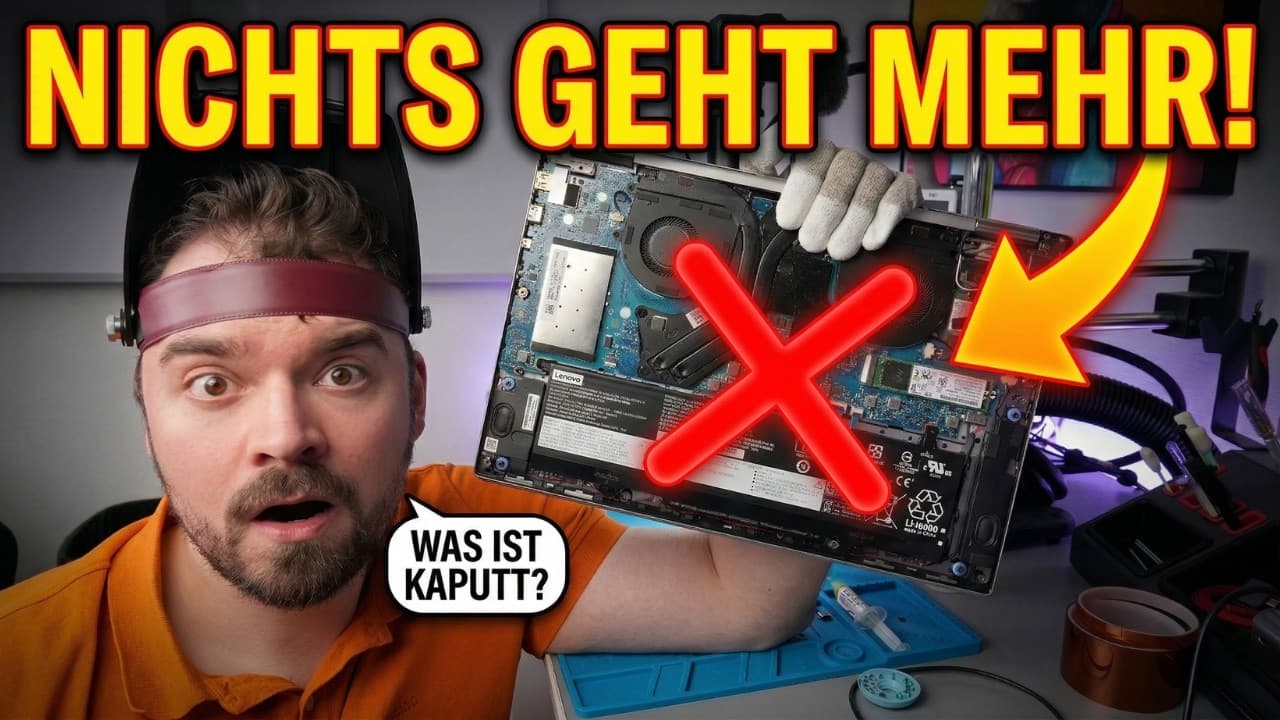
Laptop komplett TOT! 😱 Kann ich diesen Lenovo noch retten? Analytics Table
Income Estimates for Laptop komplett TOT! 😱 Kann ich diesen Lenovo noch retten?
Based on this YouTube video's total view count of 11.1K views and industry-standard rates, the estimated total earning is $8 - $22 through ad revenue. Historical data is not yet available to calculate daily, weekly, or monthly averages.
About Laptop komplett TOT! 😱 Kann ich diesen Lenovo noch retten?
Explore Laptop komplett TOT! 😱 Kann ich diesen Lenovo noch retten? with 11,176 views, 790 likes, and 25 comments. Experience the impact of this video content that has captured audience attention.
Lenovo Laptop geht nicht mehr an? So reparieren wir das Mainboard! 🛠️ In diesem Video habe ich einen Lenovo Laptop auf dem Tisch, der absolut keine Funktion mehr zeigt – ein kompletter Totalausfall! Nichts leuchtet, kein Lüfter dreht sich. Wegwerfen? Auf keinen Fall! Ich nehme euch mit auf eine spannende Fehlersuche direkt auf der Hauptplatine. Mit dem Multimeter und einer Wärmebildkamera für das Smartphone mache ich mich auf die Jagd nach dem Kurzschluss. Und tatsächlich: Ein winziger SMD-Kondensator glüht im Wärmebild förmlich auf! Ich zeige euch Schritt für Schritt, wie ich das defekte Bauteil auslöte, einen neuen Kondensator einsetze und den Laptop so vor dem Schrottplatz rette. Viel Spaß beim Zuschauen und Mitlernen! 📱 Dein Smartphone, Tablet oder Laptop ist defekt? 👉 Ich repariere es für dich – schnell & professionell: https://www.smartronik-repair.de/ ________________________________________ 📢 Hinweis zur Transparenz: Dieses Video enthält Eigenwerbung (Verweis auf meine Website) und Affiliate-Links. Links, die mit * gekennzeichnet sind, sind Affiliate-Links. Wenn du über einen dieser Links einkaufst, erhalte ich eine kleine Provision – für dich ändert sich nichts am Preis. ________________________________________ 🔧 Du willst dein Gerät selbst reparieren? Hier findest du alles, was du dafür brauchst: ________________________________________ 🧴 Verbrauchsmaterialien 🔹 Kameraobjektivreiniger * → https://amzn.to/4l5JuvH 🔹 Mikrofasertücher (1000 Stück) * → https://amzn.to/3CGUTkA 🔹 Isopropanol * → https://amzn.to/4aHPpTg 🔹 Waschbenzin * → https://amzn.to/3WI4wXh 🔹 Wärmeleitpaste * → https://amzn.to/4higyil 🔹 Doppelseitiges Klebeband * → https://amzn.to/4hHAmvl 🔹 Kleber * → https://amzn.to/4jIEjkW 🔹 Entlötlitze * → https://amzn.to/3WKna0C 🔹 Lötdraht * → https://amzn.to/3X7lHBR 🔹 Kapton-Tape * → https://amzn.to/42JihsB 🔹 Flussmittel * → https://amzn.to/42D0wLe 🔹 ESD-Handschuhe * → https://amzn.to/4gnqghW 🔹 Bildschirm-Reiniger-Schaum * → https://amzn.to/42yVxeE 🔹Reinigungsknete * → https://amzn.to/4n2un6s ________________________________________ 🔧 Werkzeuge 🔹 Schraubendreher-Set * → https://amzn.to/3Ejnehs 🔹 Thermal Master P3 Wärmbildkamera * → https://www.amazon.de/dp/B0FPWWXN2S?maas=maas_adg_api_590360486126658496_static_9_129&ref_=aa_maas&tag=maas&aa_campaignid=lv_cwoKoVpNi8o4r2YpQn&aa_adgroupid=lv_3L1N0tMSmG4BBSdu8Q&aa_creativeid=lv_mFAKn6E9DUmtKhzH3G&m=A2MK3JM0FCSW1X 🔹 Heißluftstation * → https://amzn.to/3QSDxFc 🔹 Lötstation * → https://amzn.to/3QQqhkF 🔹 Messgerät Ladebuchse * → https://amzn.to/3WOx6qH 🔹 Opening Tools * → https://amzn.to/4jCu9lX 🔹 Staubgebläse * → https://amzn.to/4hlTOh9 🔹 Saugnapf-Öffnungswerkzeug * → https://amzn.to/40DzMI1 🔹 Drehmoment-Schraubendreher * → https://amzn.to/3Cw0OsQ 🔹 Isopropanol-Fläschchen * → https://amzn.to/4aIScM4 🔹 Spudger * → https://amzn.to/42yVxeE 🔹 Metall-Spudger * → https://amzn.to/4hlSkDK 🔹 Keramik-Pinzette * → https://amzn.to/4hlSkDK 🔹 Curved Screen Disassembler * → https://amzn.to/4aEaFtj 🔹 ESD-Pinzetten * → https://amzn.to/4ovbhrp 🔹 ESD-Pinsel * → https://amzn.to/3WI4wXh 🔹 Bosch Akkuschrauber * → https://amzn.to/412GfOd 🔹 Bosch Drehmomentaufsatz * → https://amzn.to/42CTDd3 🔹 Bit-Adapter * → https://amzn.to/4hJ1KJf ________________________________________ Gerne! Das Skript liest sich wie ein super strukturiertes und spannendes Reparatur-Tutorial. Hier sind die passenden Kapitelmarken für dein YouTube-Video. Sie sind so formatiert, dass du sie direkt in deine Videobeschreibung kopieren kannst, damit YouTube sie automatisch als Kapitelbalken im Player erkennt. ⏱️ Kapitelübersicht 0:00 Intro & Fehleranalyse: Laptop geht nicht an 0:24 Rückseite entfernen & erster Blick ins Innere 1:13 Test am Labornetzteil: Kurzschluss! 1:46 Akku trennen & Ladeeingang durchmessen 3:05 Fehlersuche mit der Wärmebildkamera 4:11 Den defekten SMD-Kondensator auslöten 5:02 Richtigen Wert für das Ersatzteil ermitteln 6:07 Lötstellen vorbereiten & Ersatz-Kondensator finden 7:56 Neuen Kondensator einlöten & Platine reinigen 8:39 Erster Testlauf: Akku lädt & Laptop bootet 9:44 Zusammenbau & Outro
About YouTube Real-Time View Count
With SocialCounts.org’s view counter, track your YouTube video’s live view count and YouTube likes count in real time with fast, reliable updates.
Watch every YouTube video live view count rise with our real-time YouTube views tracker—built for accuracy and minimal delay.
Follow YouTube real time views as they happen, using our dedicated view counter for YouTube videos.
Get up-to-date live view count on YouTube and see real-time growth with SocialCounts.org’s smart tracking tools.
Embed Widget
Parameters:
fullscreen=true- Fullscreen countergraph=true- Live graph chartcounter=0/1/2- Select counter (0=likes, 1=views, 2=comments)
URL
Click to copy the embed URL to your clipboard