

2,892
likes
44
comments
daily view 0
monthly view 0
Live Analytics
Comments 0
Design Beautiful UI/UX with Weavy AI Analytics Table
Income Estimates for Design Beautiful UI/UX with Weavy AI
Based on this YouTube video's total view count of 56.0K views and industry-standard rates, the estimated total earning is $39 - $112 through ad revenue. Historical data is not yet available to calculate daily, weekly, or monthly averages.
About Design Beautiful UI/UX with Weavy AI
Explore Design Beautiful UI/UX with Weavy AI with 56,020 views, 2,892 likes, and 44 comments. Experience the impact of this video content that has captured audience attention.
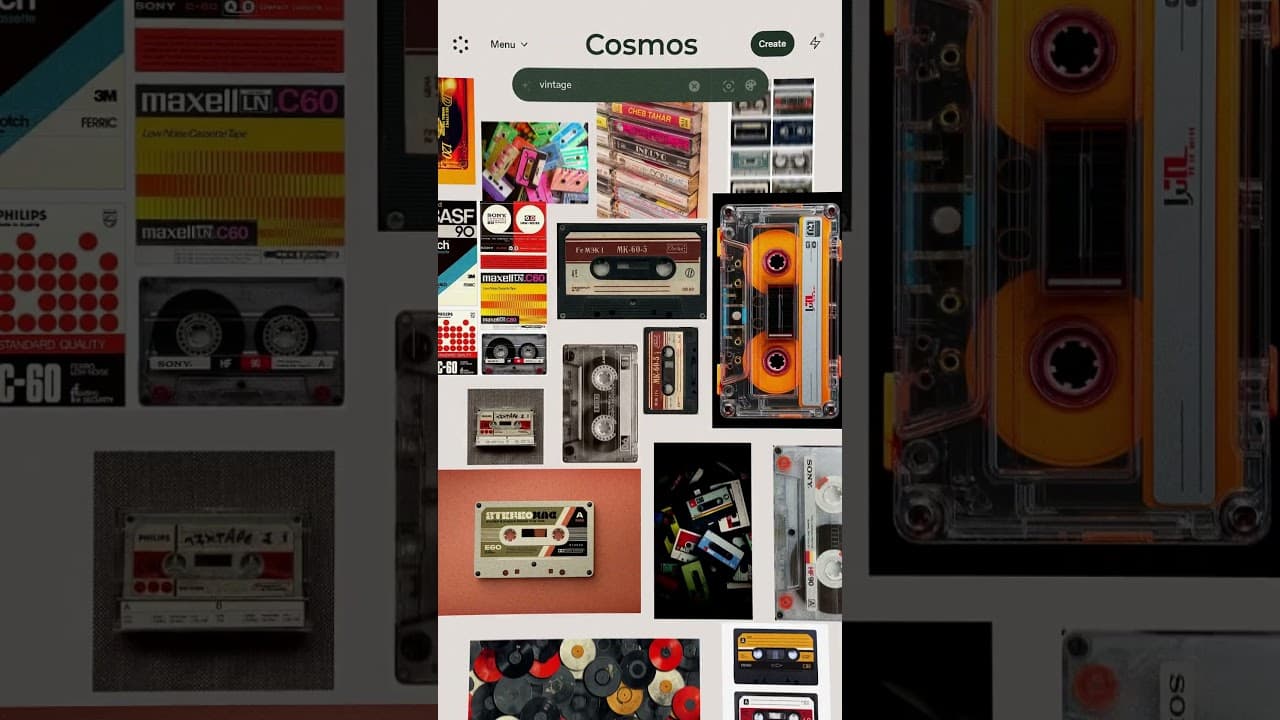
Key Points - Vibe-coded apps are easy to build now, but they all look the same — branding is what makes someone actually download and use your product. - Weavy AI is a node-based tool that lets you run image models like Flux 2 Pro and Ideogram visually, making it easy to generate color palettes, buttons, assets, and logos from reference images. - Claude serves as the ideal brainstorming partner for writing brand guidelines, crafting image generation prompts, and refining your creative direction. - The full workflow is: Google AI Studio (prototype) → Claude (brand strategy) → Cosmos (mood board) → Weavy AI (visual assets) → Figma (composition) → back to AI Studio (final build). Numbered Section Summaries 1) The Vibe-Coded Sameness Problem I open by laying out the core issue: anyone can build an app now, which is amazing, but everything ends up looking identical. If your app looks like everything else, it is really tough to expect anyone to download it. Soraya and I set out to prove you can go from a generic prototype to something that looks like an agency designed it. 2) Defining How Your Product Should Feel Soraya's process always starts with emotion: who is this for, and how should they feel using it? We decide our journaling app is for overthinkers who are tired of being on their phones and want something analog and calm. She pastes this framing into Claude to generate deeper brand insights, including what the product is and what it is *absolutely* meant to avoid being (a productivity tool, a social app). 3) Brand Guidelines and Mood Boarding Claude helps us write brand guidelines for our app, now called "Cassette." Soraya then moves to Cosmos (a Pinterest alternative) to build a mood board of vintage cassette imagery. The key insight: brand guidelines are really just a prompt you bring into your visual tools — they guide every design decision downstream. 4) Weavy AI: The Visual Asset Engine Here is the core of the episode. Soraya shows how Weavy AI works as a node-based canvas where you feed in reference images and run them through models like Flux 2 Pro. We generate color palettes, textured backgrounds, record buttons, and cassette tape history elements — all grounded in the mood board. She switches between Claude (for prompt writing) and Weavy (for visual output) throughout. 5) Compositing in Figma and Final Comparison Soraya assembles all the generated assets — logo, record button, cassette tapes, color palette — into iPhone frames in Figma. She shares practical tips like using blend overlay for automatic color matching. We then paste the Figma reference images back into Google AI Studio and compare outputs. The AI Studio version is dramatically better than the original one-shot, and Soraya notes you could skip Figma entirely if you prefer. The #1 tool to find startup ideas/trends - https://www.ideabrowser.com/ LCA helps Fortune 500s and fast-growing startups build their future - from Warner Music to Fortnite to Dropbox. We turn 'what if' into reality with AI, apps, and next-gen products https://latecheckout.agency/ The Vibe Marketer - Resources for people into vibe marketing/marketing with AI: https://www.thevibemarketer.com/ FIND ME ON SOCIAL X/Twitter: https://twitter.com/gregisenberg Instagram: https://instagram.com/gregisenberg/ LinkedIn: https://www.linkedin.com/in/gisenberg/ FIND SURAYA ON SOCIAL X/Twitter: https://x.com/surayashivji Personal Website: https://www.surayashivji.com/
About YouTube Real-Time View Count
With SocialCounts.org’s view counter, track your YouTube video’s live view count and YouTube likes count in real time with fast, reliable updates.
Watch every YouTube video live view count rise with our real-time YouTube views tracker—built for accuracy and minimal delay.
Follow YouTube real time views as they happen, using our dedicated view counter for YouTube videos.
Get up-to-date live view count on YouTube and see real-time growth with SocialCounts.org’s smart tracking tools.
Embed Widget
Parameters:
fullscreen=true- Fullscreen countergraph=true- Live graph chartcounter=0/1/2- Select counter (0=likes, 1=views, 2=comments)
URL
Click to copy the embed URL to your clipboard