


6,764
likes
263
comments
daily view 0
monthly view 0
Live Analytics
Comments 0
iPhone 11 Screen Replacement Tutorial - How to fix your phone screen! Analytics Table
Income Estimates for iPhone 11 Screen Replacement Tutorial - How to fix your phone screen!
Based on this YouTube video's total view count of 606K views and industry-standard rates, the estimated total earning is $424 - $1.21K through ad revenue. Historical data is not yet available to calculate daily, weekly, or monthly averages.
About iPhone 11 Screen Replacement Tutorial - How to fix your phone screen!
Explore iPhone 11 Screen Replacement Tutorial - How to fix your phone screen! with 606,162 views, 6,764 likes, and 263 comments. Experience the impact of this video content that has captured audience attention.
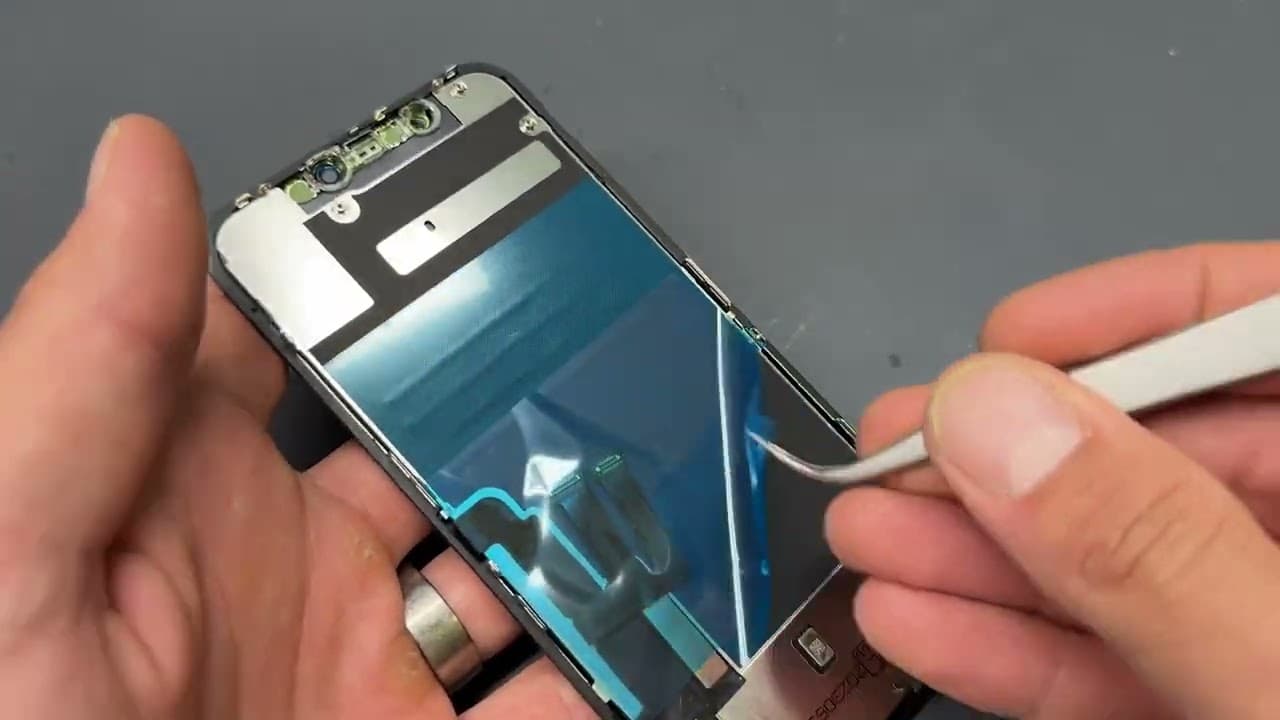
If this repair gave you the confidence to have a go yourself, you can grab the exact parts used in this video right here 👇 https://www.idoctoruk.com/parts/ Also If this guide has helped you out to fix your device feel free to drop us a donation buy buying us a coffee to help us support the channel and keep the repair content coming😊! - http://buymeacoffee.com/gvf9d9stk50 Welcome to our channel, where we empower you to take control of your iPhone 11's screen repair! Is your iPhone 11 screen cracked or unresponsive? Don't worry; we've got you covered with this comprehensive tutorial. 🧰 Tools Used in This Repair If you'd like to attempt repairs like this yourself, here are some of the core tools we use daily in our workshop: Suction Cup https://s.click.aliexpress.com/e/_c33CzXX9 Opening Picks https://s.click.aliexpress.com/e/_c4B2f5GR 2UUL Precision Screwdrivers https://s.click.aliexpress.com/e/_c2yPVLTV Electric Screwdriver https://s.click.aliexpress.com/e/_c3UlHuRD Repair Scissors https://s.click.aliexpress.com/e/_c3s3UHgn Black Plastic Pry Tool https://s.click.aliexpress.com/e/_c3JIGLaF Cleaning Brush https://s.click.aliexpress.com/e/_c3ESCiV5 Curved Tweezers https://s.click.aliexpress.com/e/_c3ESCiV5 Fine Tweezers https://s.click.aliexpress.com/e/_c2IucaLh Razor Blades https://s.click.aliexpress.com/e/_c4TjbfqL Hooky Tool https://s.click.aliexpress.com/e/_c31D4zIF #17 Blade https://s.click.aliexpress.com/e/_c3QQ4QtN 4A Blade https://s.click.aliexpress.com/e/_c40g3tbN Blade / Hooky Tool Handle https://s.click.aliexpress.com/e/_c31D4zIF Parts Tray https://s.click.aliexpress.com/e/_c3kEAmEn Repair Work Mat https://s.click.aliexpress.com/e/_c4oH9V3l Some of the links above may be affiliate links. If you choose to purchase through them, it helps support the channel at no extra cost to you. Keywords: iPhone 11, Screen Replacement, Phone Repair, DIY Repair, Smartphone Maintenance, Screen Repair, iPhone 11 Repair, Phone Screen Repair, Mobile Device Fix, iPhone 11 Screen Replacement, Phone Screen Replacement Tutorial, iPhone Screen Repair, Screen Replacement Guide, iPhone Maintenance, Fixing Your Phone, DIY Screen Replacement, iPhone 11 Fix, Smartphone Screen Repair, Mobile Screen Replacement, iPhone Repair Tutorial, Screen Fixing Techniques, Screen Disassembly, iPhone Maintenance Guide, DIY Phone Screen Replacement, Repairing Your iPhone, Mobile Device Repair, Screen Replacement How-To, iPhone 11 Maintenance, Phone Screen Fix, Quick Screen Repair, Mobile Screen Repair Guide, iPhone 11 Screen Replacement Steps, Phone Repair Techniques, iPhone 11 Screen Fix, DIY Screen Fixing, Smartphone Repair Tutorial, Mobile Device Maintenance, iPhone Screen Replacement DIY, Screen Removal Process, iPhone 11 Repair Tips, Phone Maintenance Guide, DIY iPhone Repair, Screen Replacement Tutorial, iPhone 11 Screen Replacement DIY, Smartphone Screen Replacement, Mobile Screen Repair Tutorial, Phone Screen Repair How-To, iPhone 11 Maintenance Tutorial, DIY Screen Replacement Guide, Mobile Phone Screen Repair. 🔧 What You'll Learn: In this step-by-step guide, we'll walk you through the entire process of replacing your iPhone 11 screen. Whether it's cracked, unresponsive, or in need of a refresh, we've got you covered. Our instructions are beginner-friendly, so even if you're new to phone repairs, you can follow along with confidence. ⏱️ Save Time and Money: Why wait at the repair shop and spend a fortune when you can do it yourself? This tutorial will not only save you money but also get your iPhone 11 back to its full glory in no time. 🔒 Safety First: Your safety is our priority. Before we dive into the repair, we'll emphasize essential safety precautions to ensure you handle your iPhone and its components carefully. 🔌 Stay Updated: To stay informed about future tech tutorials, repair guides, and gadget reviews, make sure to subscribe and turn on notifications. Our channel is your go-to source for all things tech-related. 🤝 Join Our Community: We're building a community of tech enthusiasts and DIYers just like you. Share your experiences, ask questions, and interact with fellow viewers in the comments. Your feedback matters, and we're here to support you on your tech journey. 🚀 Let's Get Started: Ready to breathe new life into your iPhone 11? Grab your tools, watch the video, and let's dive into the world of DIY repair together! [Timestamps and chapters will be available in the video for easy navigation.] Thanks for tuning in, and remember, with a little determination and our expert guidance, you've got this! Let's repair your iPhone 11 screen and make it look and function like it's brand new. If you found this video helpful, give it a thumbs up and share it with friends who could use some repair know-how. Until next time, stay tech-savvy! 😊📱
About YouTube Real-Time View Count
With SocialCounts.org’s view counter, track your YouTube video’s live view count and YouTube likes count in real time with fast, reliable updates.
Watch every YouTube video live view count rise with our real-time YouTube views tracker—built for accuracy and minimal delay.
Follow YouTube real time views as they happen, using our dedicated view counter for YouTube videos.
Get up-to-date live view count on YouTube and see real-time growth with SocialCounts.org’s smart tracking tools.
Embed Widget
Parameters:
fullscreen=true- Fullscreen countergraph=true- Live graph chartcounter=0/1/2- Select counter (0=likes, 1=views, 2=comments)
URL
Click to copy the embed URL to your clipboard