


47,606
likes
1,095
comments
daily view 0
monthly view 0
Live Analytics
Comments 0
How To Blur Backgrounds in Photoshop [FAST & EASY!] Analytics Table
Income Estimates for How To Blur Backgrounds in Photoshop [FAST & EASY!]
Based on this YouTube video's total view count of 1.99M views and industry-standard rates, the estimated total earning is $1.39K - $3.98K through ad revenue. Historical data is not yet available to calculate daily, weekly, or monthly averages.
About How To Blur Backgrounds in Photoshop [FAST & EASY!]
Explore How To Blur Backgrounds in Photoshop [FAST & EASY!] with 1,991,719 views, 47,606 likes, and 1,095 comments. Experience the impact of this video content that has captured audience attention.
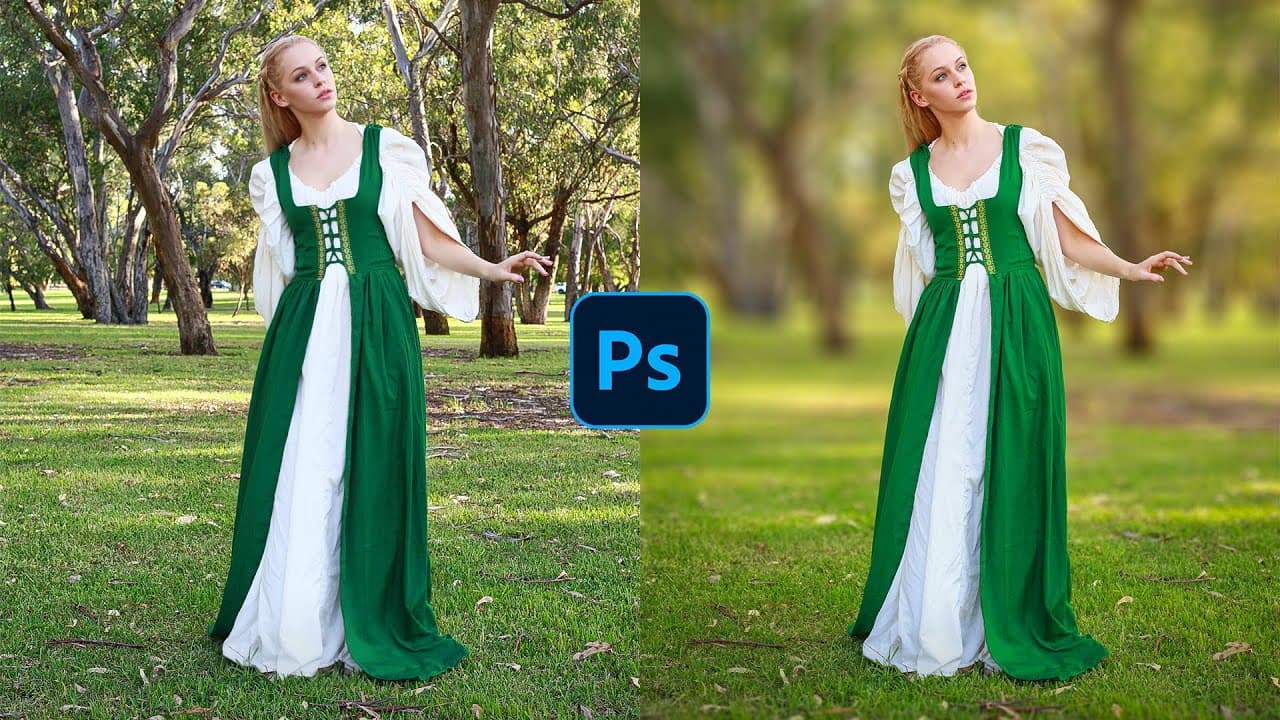
In this complete step-by-step tutorial, you will learn how to blur backgrounds in Photoshop! You will learn about selections, Layer Masks, Smart Objects, and the Tilt-Shift Blur to blur your photo's background. This Photoshop tutorial will cover everything that you need to know about creating the shallow depth of field effect (out of focus background) WITHOUT an expensive lens. I hope this tutorial helps! 🎯 SUBSCRIBE to get more amazing Photoshop tutorials! ► https://www.youtube.com/user/photoshoptrainingch?sub_confirmation=1 📘 INDEX - How To Blur Backgrounds in Photoshop 00:00 - Introduction 00:27 - Duplicate Your Original Image 00:52 - Make a Selection Out of The Main Subject 01:23 - Expand The Selection 01:48 - Remove The Main Subject with Content-Aware Fill 02:20 - Remove The Background From The Model Layer 02:32 - Contract the Mask with the Minimum Filter 03:35 - Blur The Background with The Tilt-Shift Filter 06:00 - Fine-Tune The Layer Mask 06:32 - Paint Hair Back Into Your Image 07:41 - Pain Hair with a Custom Brush 09:51 - Final Adjustments with Camera Raw 10:17 - Final Thoughts 🔗 LINKS: Minimum Filter Tutorial ► https://www.youtube.com/watch?v=60GysIWun2s&list=PL3bfN-31F9RcsA9rVxmicKuO07kowMdU1 Masking Tutorial ► https://www.youtube.com/watch?v=Z8kUpM2Qaqo&list=PL3bfN-31F9RcsA9rVxmicKuO07kowMdU1 Download The Hair Brush ► https://photoshoptrainingchannel.com/how-to-blur-backgrounds-in-photoshop/ Become an Adobe Stock Contributor: ► http://bit.ly/stock-contributor PTC Newsletter: ► http://ptcvids.com/subscribe Premium Tutorials: ► http://ptcvids.com/shop Website: ► https://photoshoptrainingchannel.com FOLLOW ON: Instagram: ► http://instagram.com/photoshoptrainingchannel Facebook Group: ► http://ptcvids.com/group CREDITS ● Stock Images provided by stock.adobe.com https://stock.adobe.com/206451403 ● Photoshop video tutorials by Jesus Ramirez #PhotoshopTutorial #Photoshop #PTCvids
About YouTube Real-Time View Count
With SocialCounts.org’s view counter, track your YouTube video’s live view count and YouTube likes count in real time with fast, reliable updates.
Watch every YouTube video live view count rise with our real-time YouTube views tracker—built for accuracy and minimal delay.
Follow YouTube real time views as they happen, using our dedicated view counter for YouTube videos.
Get up-to-date live view count on YouTube and see real-time growth with SocialCounts.org’s smart tracking tools.
Embed Widget
Parameters:
fullscreen=true- Fullscreen countergraph=true- Live graph chartcounter=0/1/2- Select counter (0=likes, 1=views, 2=comments)
URL
Click to copy the embed URL to your clipboard