

1,792
likes
5
comments
daily view 0
monthly view 0
Live Analytics
Comments 0
MQL5 TUTORIAL - FROM ZERO TO AUTOTRADING IN 4 MINUTES AND 38 SECONDS Analytics Table
Income Estimates for MQL5 TUTORIAL - FROM ZERO TO AUTOTRADING IN 4 MINUTES AND 38 SECONDS
Based on this YouTube video's total view count of 243K views and industry-standard rates, the estimated total earning is $170 - $487 through ad revenue. Historical data is not yet available to calculate daily, weekly, or monthly averages.
About MQL5 TUTORIAL - FROM ZERO TO AUTOTRADING IN 4 MINUTES AND 38 SECONDS
Explore MQL5 TUTORIAL - FROM ZERO TO AUTOTRADING IN 4 MINUTES AND 38 SECONDS with 243,533 views, 1,792 likes, and 5 comments. Experience the impact of this video content that has captured audience attention.
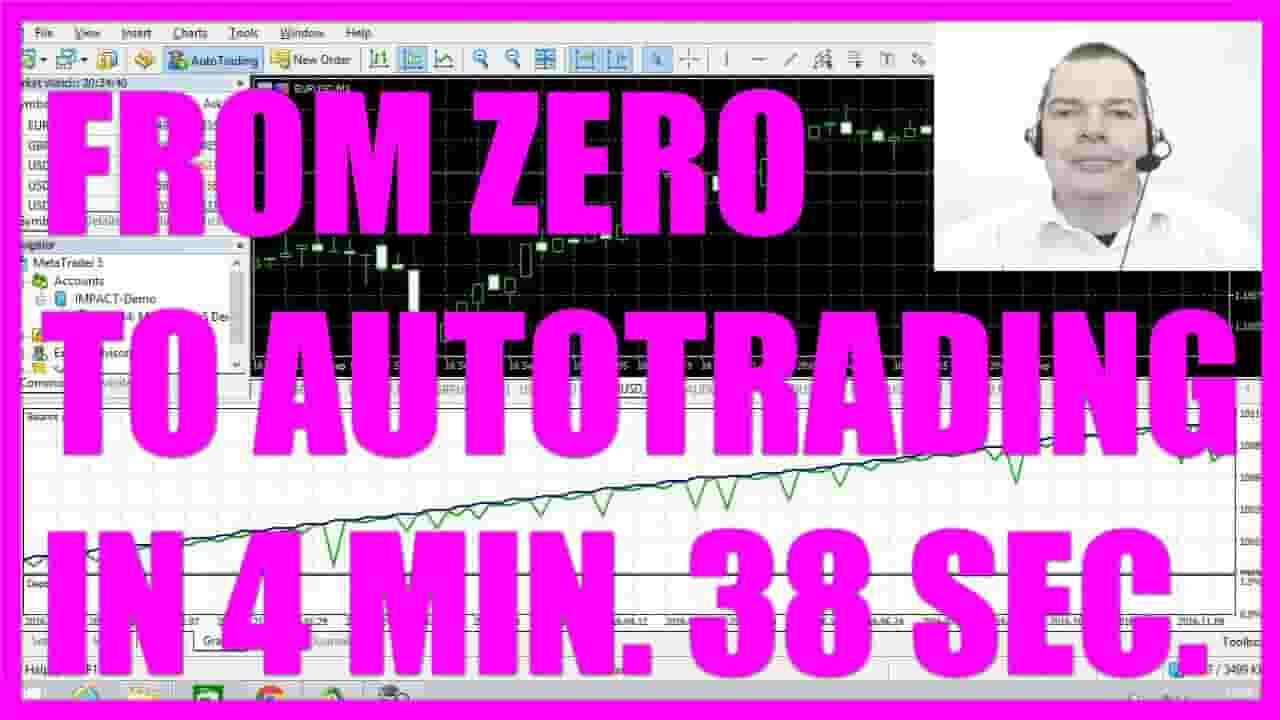
https://mql5tutorial.com/?s=auto+trading Setup Metatrader5 and MQL5 for auto trading in 4 minutes and 38 seconds. You will know how to import the Forex Trading Framework EA and trade the EURUSD and the AUDUSD completely automated before the next 5 minutes are over!... Introduction to MQL5 Automation System Setup (00:00 – 00:11) Overview of the video's purpose: demonstrating the fastest way to set up an MQL5 automation system. Preparation for MQL5 Trading (00:11 – 00:25) Explanation of the need for this tutorial for a Forex trading framework and recording for YouTube. Hardware and System Requirements (00:25 – 01:03) Discussion of the hardware used: a Stick PC with Windows 8.1, USB port, SD card slot, HDMI, Intel Atom Quad-Core CPU, 2GB of RAM, and a 32 GB SSD. Downloading and Installing MetaTrader 5 (01:03 – 01:45) Instructions on downloading MetaTrader 5 from Metatrader5.com, including setting up a free demo account and installing the software. Configuring MetaTrader 5 Settings (01:45 – 02:18) Steps to configure MetaTrader 5: disabling news on the Server tab, reducing bars on the Charts tab, setting default lot size, allowing automated trading, and adjusting sound events. Downloading and Setting Up the Forex Trading Framework (02:18 – 03:05) Guide to downloading the Forex trading framework from forextradingframework.com, extracting files, and placing them in the correct MetaTrader directories. Initializing the Strategy Tester with ForexTradingFramework (03:05 – 03:47) Instructions on restarting MetaTrader, accessing the Strategy Tester, and setting up the ForexTradingFramework for trading EURUSD on a 1-minute chart with specific parameters. Starting the Test and Observing Results (03:47 – End) Final steps to start the test using the 1-minute OHLC data and observing the trading system in action. In this video, I am going to show you the fastest way to get an MQL5 automation system up and running. I need to do it anyhow, because I need this video tutorial for my Forex trading framework, so I thought I could record the session also for YouTube. If you don’t have traded with MQL5 before, you need to set up everything and in this video, we are going to do it as fast as possible. I have bought this little Stick Pc. It uses the outdated Windows 8.1 so it was very cheap. It comes with a USB port and SD card slot and HDMI, an Intel Atom Quad-Core CPU, 2GB of RAM and a 32 GB SSD are more than enough to run an MQL5 automated trading system. Now we need to go to Metatrader5.com and download MetaTrader 5 for free. When you click on this button you will also get a free demo account, and after a few seconds you can open the setup.exe file, verify the installation permission, read the license agreement, continue. Now a few files are downloaded and as soon as that is finished, read and agree to the license, click on “Continue” and when you are done click on “Finish”. After a few seconds MetaTrader 5 should start. Please notice that is already connected to a demo account here. Now click on “Tools, Options” disable to news on the “Server” tab, reduce the bars on the chart to 5000 on the “Charts” tab. Click on the tab: “Trade”, change the volume to default 0.10 lot, click on “Expert Advisors”, allow automated trading, remove the two marks here, click on “Events” and disable the sound events and leave the tabs for “Notifications”, “Email”, “FTP”, “Community” and “Signals” as they are. Now, click on ok, open your web-browser, go to forextradingframework.com, click on “Menu, Downloads”, you can download the framework for just 1 Dollar, open the Zip file, copy the whole content, go to MetaTrader and click on “File, Open Data Folder”, click on the MQL5 folder, select “Experts, Advisors”, create a new folder. I will call this one: ForexTradingFramework, insert the files here, click into the “Copy_into_Library_Folder, copy the Library, move up a few directories, select the “Libraries” folder now and paste the file here. Please restart MetaTrader, click on “View, Strategy Tester”, select “Advisors, ForexTradingFramework” and the ForexTradingFramework.ex5. file. We want to trade the EURUSD on the 1 minute chart, we will use the last year and a deposit of 100.000 Euros. I use 1 to 500 for the leverage and we will use the 1 minute OHLC, that’s: open, high, low and close prices and start the test. Now you should see something like this when you click on the “Graphs” tab. We just made a total net profit of 185 Euros and 99 Cents with 9 automated trades. Let’s go to “Settings”, select another currency pair, mark the visualization mode and start another test. You will see a download for the history data here and once the download is finished, you should see your Metatrader doing automated trades. Now you know how to setup Metatrader 5 and MQL5 for automated trading and do your first year of autotrading within 4 minutes and 40 seconds.
About YouTube Real-Time View Count
With SocialCounts.org’s view counter, track your YouTube video’s live view count and YouTube likes count in real time with fast, reliable updates.
Watch every YouTube video live view count rise with our real-time YouTube views tracker—built for accuracy and minimal delay.
Follow YouTube real time views as they happen, using our dedicated view counter for YouTube videos.
Get up-to-date live view count on YouTube and see real-time growth with SocialCounts.org’s smart tracking tools.
Embed Widget
Parameters:
fullscreen=true- Fullscreen countergraph=true- Live graph chartcounter=0/1/2- Select counter (0=likes, 1=views, 2=comments)
URL
Click to copy the embed URL to your clipboard