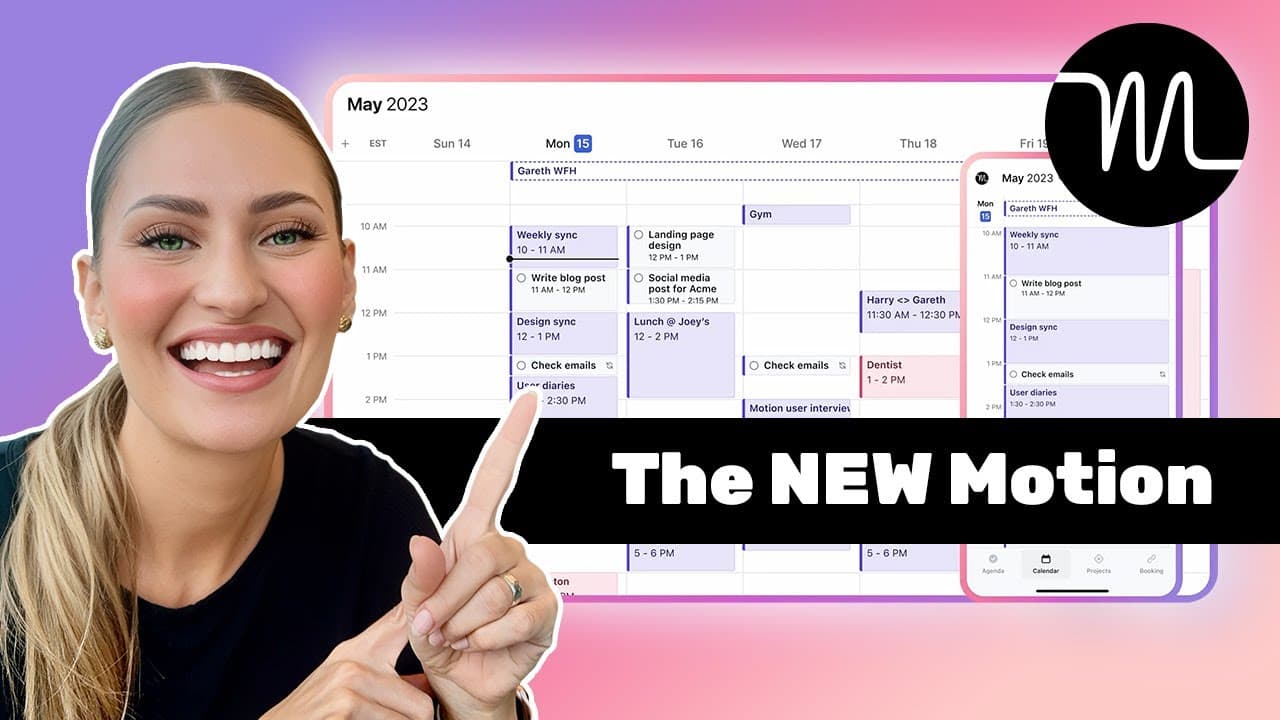


How to Use Motion App for Project Management (The Most Detailed Tutorial & Review!)
276,737
Socialcounts.Org
3,297
likes
740
comments
daily view 0
monthly view 0
Live Analytics
Comments 0
How to Use Motion App for Project Management (The Most Detailed Tutorial & Review!) Analytics Table
Income Estimates for How to Use Motion App for Project Management (The Most Detailed Tutorial & Review!)
Based on this YouTube video's total view count of 276K views and industry-standard rates, the estimated total earning is $194 - $553 through ad revenue. Historical data is not yet available to calculate daily, weekly, or monthly averages.
About How to Use Motion App for Project Management (The Most Detailed Tutorial & Review!)
Explore How to Use Motion App for Project Management (The Most Detailed Tutorial & Review!) with 276,737 views, 3,297 likes, and 740 comments. Experience the impact of this video content that has captured audience attention.
🥇 Motion: https://efficient.link/r/motion?ref=youtube&utm_source=youtube&utm_medium=description&utm_campaign=motion+tutorial&utm_term=2024&sid1=youtube&sid2=motion+tutorial&sid3=2024 *(7 days free + exclusive 🎁 below)* ↳ Use our affiliate link & get $100 off our Motion Course: https://efficient.deals/motion?ref=youtube&utm_source=youtube&utm_medium=description&utm_campaign=motion+tutorial&utm_term=2024 _*(New 2025 terms)_ ↳ Already a Motion customer? Get our Motion setup course: https://efficient.link/courses/motion?ref=youtube&utm_source=youtube&utm_medium=description&utm_campaign=motion+tutorial&utm_term=2024 🔥 2025 Updated Motion Video: https://www.youtube.com/watch?v=vwF87OU2Euo 🎁 *LIMITED TIME DEALS* (Efficient Exclusives) ↳ Get $100 Off Our Motion Course (New Customers Only): https://efficient.deals/motion?ref=youtube&utm_source=youtube&utm_medium=description&utm_campaign=motion+tutorial&utm_term=2024 🎁 ↳ Purchase Motion Set Up Course (Existing Motion Customers): https://efficient.link/courses/motion?ref=youtube&utm_source=youtube&utm_medium=description&utm_campaign=motion+tutorial&utm_term=2024 🎓 🤔 *Take The Quiz* For personalized software recommendations: ↳ https://efficient.link/quiz 📰 *Subscribe To Our Newsletter* ↳ https://efficient.link/subscribe 💬 *Description* This is our most requested video! We're going to be covering: ↳ The first steps that you should take right now to setup Motion ↳ How to leverage Motion so that it feels like you actually have an assistant ↳ The best way to use Motion as a team and why we think they're changing the game when it comes to project management ↳ Some unreleased features coming to Motion later this year 🤫 ✍️ *Full Motion Deep-Dive Review* ↳ Motion: https://efficient.link/motion 🚀 *Other Software Mentioned* (Affiliate) ↳ Superhuman Mail: https://efficient.link/r/superhuman-mail?ref=youtube&utm_source=youtube&utm_medium=description&utm_campaign=motion+tutorial&utm_term=2024 (Get 30 days free) ↳ Screen Studio: https://efficient.link/r/screen-studio?ref=youtube&utm_source=youtube&utm_medium=description&utm_campaign=motion+tutorial&utm_term=2024 ↳ Learn more about the best software & apps: https://efficient.app 🎥 *What We Covered:* 0:00 - How We Use Motion 0:44 - What We'll Cover 1:06 - Add Calendars 1:30 - Adding Tasks 2:15 - Set up Workspaces & Projects 2:46 - Why Statuses Are Important 4:07 - Create Task Templates 4:36 - Don't Forget Labels 4:50 - Set up Project Views 5:36 - Auto-Schedule Tasks 6:37 - Team Blocking 7:12 - "What Should I Work On Next?" 7:23 - Urgent Tasks 7:36 - Email Your Assistant (AKA Motion) 8:03 - Siri + Motion 8:15 - Don't Want To Follow Motion's Schedule? 9:15 - Meeting Scheduler 9:39 - Motion For Teams 9:43 - Migrating Tasks From Asana 10:49 - Capacity Planning For Teams 12:38 - Motion Saves Us So Much Time 13:12 - Onboarding Your Team 14:02 - New Features? 14:12 - Reinventing Gantt Charts 15:00 - New Custom Fields 15:20 - Flows 17:12 - Long-Term Planning 17:40 - What's Next? 18:07 - Try Motion For 7 Days! 👀 *Watch This Next:* https://www.youtube.com/watch?v=vwF87OU2Euo https://youtu.be/3-lIQBARGHc *After being customers of Motion we asked them if we could invest, check out the full story here: https://youtu.be/YamC4Rx9NFo _*Affiliate/Investment Disclosure: This video is not sponsored; all opinions are our own. Many links used above and across our channel are affiliate links. This means we may receive a small commission if you use our links to sign up for software at no extra cost to you. In fact, in some cases, we have negotiated discounts or extended free trials if you use our affiliate links to sign up, or we provide access to additional free or discounted training to help you set up the software. View https://efficient.deals for full details of the associated deal for each software. Purchasing through our links helps us continue to create free content. We occasionally get the opportunity to invest in some of our favorite tools; this does not impact the outcome of our opinions. You can read more about how we make money and learn about which software we’ve invested in here: https://efficient.app/about_
About YouTube Real-Time View Count
With SocialCounts.org’s view counter, track your YouTube video’s live view count and YouTube likes count in real time with fast, reliable updates.
Watch every YouTube video live view count rise with our real-time YouTube views tracker—built for accuracy and minimal delay.
Follow YouTube real time views as they happen, using our dedicated view counter for YouTube videos.
Get up-to-date live view count on YouTube and see real-time growth with SocialCounts.org’s smart tracking tools.
Embed Widget
Parameters:
fullscreen=true- Fullscreen countergraph=true- Live graph chartcounter=0/1/2- Select counter (0=likes, 1=views, 2=comments)
URL
Click to copy the embed URL to your clipboard