


4
likes
2
comments
daily view 0
monthly view 0
Live Analytics
Comments 0
Whatsapp Voice Chat Feature kaise use kare | How to use whatsapp Voice chat feature 2025 Analytics Table
Income Estimates for Whatsapp Voice Chat Feature kaise use kare | How to use whatsapp Voice chat feature 2025
Based on this YouTube video's total view count of 282 views and industry-standard rates, the estimated total earning is $0 - $1 through ad revenue. Historical data is not yet available to calculate daily, weekly, or monthly averages.
About Whatsapp Voice Chat Feature kaise use kare | How to use whatsapp Voice chat feature 2025
Explore Whatsapp Voice Chat Feature kaise use kare | How to use whatsapp Voice chat feature 2025 with 282 views, 4 likes, and 2 comments. Experience the impact of this video content that has captured audience attention.
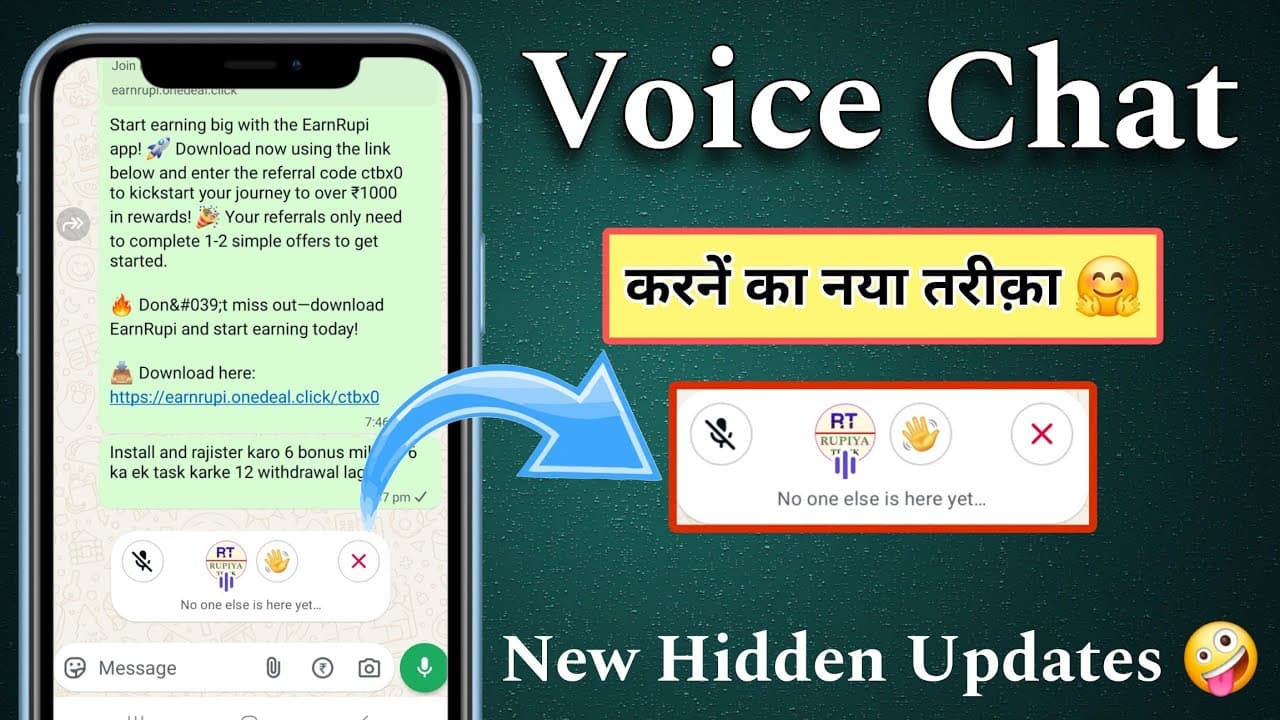
Whatsapp Voice Chat Feature kaise use kare | How to use whatsapp Voice chat feature 2025 WhatsApp ने 2025 में एक नया Voice Chat फीचर लॉन्च किया है, जिससे अब आप ग्रुप में बिना कॉल किए भी लाइव वॉइस चैट कर सकते हैं। यह फीचर खासकर ग्रुप कम्युनिकेशन को आसान और इंटरैक्टिव बनाने के लिए लाया गया है। How to Use WhatsApp Voice Chat Feature (2025): 1. WhatsApp अपडेट करें – सबसे पहले Google Play Store या Apple App Store से WhatsApp को लेटेस्ट वर्जन में अपडेट करें। 2. ग्रुप ओपन करें – जिस ग्रुप में आप Voice Chat शुरू करना चाहते हैं, उसे खोलें। 3. टॉप बार में Voice Chat आइकन – ग्रुप चैट के ऊपर दाईं ओर एक waveform (साउंड वेव) जैसा आइकन दिखेगा। उस पर टैप करें। 4. Voice Chat शुरू करें – आइकन टैप करते ही वॉइस चैट शुरू हो जाएगी। इसमें ग्रुप मेंबर बिना कॉल रिसीव किए सीधे जॉइन कर सकते हैं। 5. जॉइन/लीव करना आसान – कोई भी मेंबर चैट को म्यूट करके सुन सकता है, या ज़रूरत के मुताबिक बीच में छोड़ भी सकता है। 6. प्राइवसी बनी रहती है – Voice Chat एंड-टू-एंड एन्क्रिप्टेड होती है, जिससे आपकी बातचीत पूरी तरह से सुरक्षित रहती है। your queries :- whatsapp group voice chat whatsapp voice chat on kaise kare whatsapp voice chat kaise use kare whatsapp group voice chat on kaise kare whatsapp me voice chat on kaise kare whatsapp voice chat settings on kaise kare how to use whatsapp voice chat Please Support me 👇 Instagram 👉https://www.instagram.com/greatsathicreator?r=nametag Facebook 👉https://www.facebook.com/GreatSathiCreator/ Twitter 👉https://twitter.com/GreatSathi?s=09 Telegram 👉https://telegram.dog/Greatsathicreator (1) Email id kaise banaye https://youtu.be/qIjpUv9wVGA (2) Open bank account online https://youtu.be/_751jn6Hpq4 (3) Green Screen Video me photo kaise lagaye https://youtu.be/67FjK8fCj_c (4) How to delete email id https://youtu.be/bzyNgIJM-qE (5) YouTube Channel Name Kya Rakhe https://youtu.be/12eh8HcEOh8 Subscribe karke bell icon dabana na bhoolen taaki aapko milti rahe aise hi aur interesting videos! Agar aapko video pasand aaye toh Like, Share aur Comment zarur karein! ______ ●•Note:- All The Images/Pictures Shown In The Video Belongs To The Respected Owners And Not Me, I Am Not The Owner Of Any Image Showed In The Video #whatsapp #whatsappvoicechat #WhatsAppUpdate2025 #WhatsAppNewFeature #VoiceChatOnWhatsApp #WhatsAppTips #WhatsAppTricks #WhatsAppFeatures #WhatsAppGroupChat #VoiceChatFeature #WhatsAppHindi #HowToUseWhatsAppVoiceChat #WhatsAppGuide2025 #TechNewsHindi #WhatsAppVoiceCallAlternative thanks for watching
About YouTube Real-Time View Count
With SocialCounts.org’s view counter, track your YouTube video’s live view count and YouTube likes count in real time with fast, reliable updates.
Watch every YouTube video live view count rise with our real-time YouTube views tracker—built for accuracy and minimal delay.
Follow YouTube real time views as they happen, using our dedicated view counter for YouTube videos.
Get up-to-date live view count on YouTube and see real-time growth with SocialCounts.org’s smart tracking tools.
Embed Widget
Parameters:
fullscreen=true- Fullscreen countergraph=true- Live graph chartcounter=0/1/2- Select counter (0=likes, 1=views, 2=comments)
URL
Click to copy the embed URL to your clipboard