


40
likes
5
comments
daily view 0
monthly view 0
Live Analytics
Comments 0
How to Fix Blurry Photos & Restore Faces with VideoProc Converter AI Analytics Table
Income Estimates for How to Fix Blurry Photos & Restore Faces with VideoProc Converter AI
Based on this YouTube video's total view count of 1.34K views and industry-standard rates, the estimated total earning is $1 - $3 through ad revenue. Historical data is not yet available to calculate daily, weekly, or monthly averages.
About How to Fix Blurry Photos & Restore Faces with VideoProc Converter AI
Explore How to Fix Blurry Photos & Restore Faces with VideoProc Converter AI with 1,343 views, 40 likes, and 5 comments. Experience the impact of this video content that has captured audience attention.
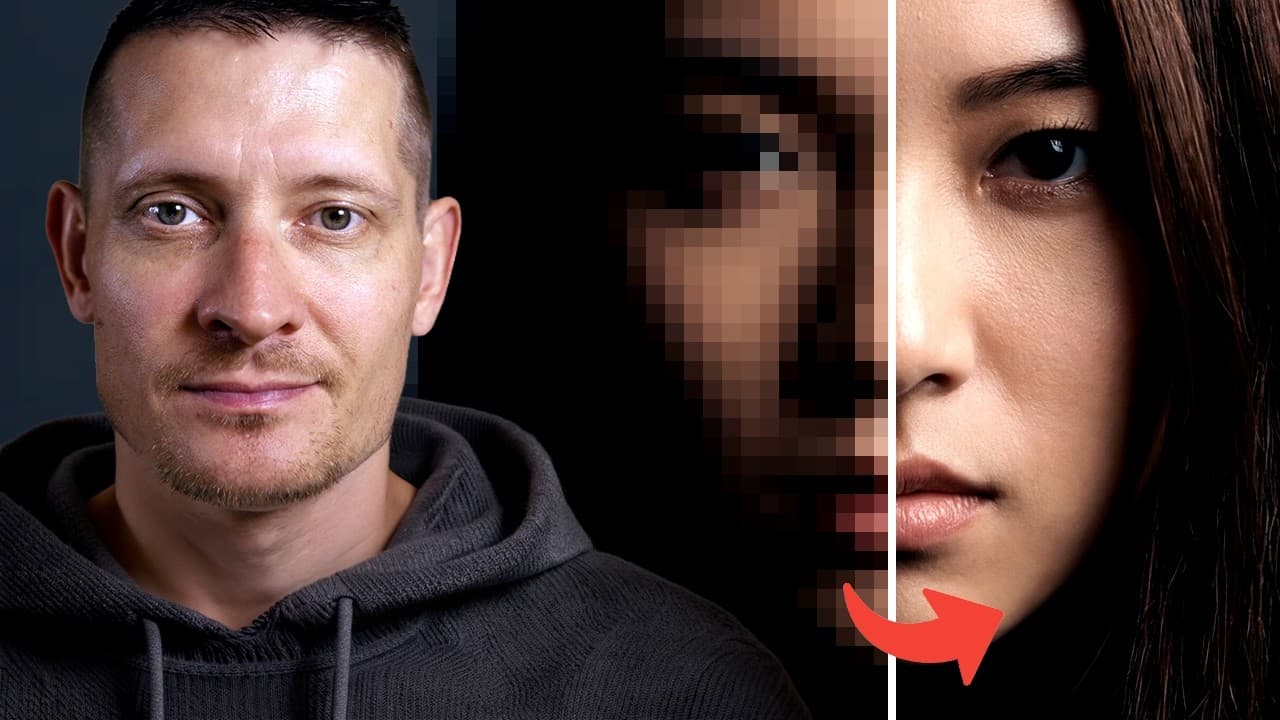
Free download this AI image upscaler here: https://tinyurl.com/3m5a9d5p 62% off on the lifetime license: https://tinyurl.com/ymazt2aj Upgrade to lifetime full version, enjoy more AI features to enhance video, convert, compress, edit, and more. Learn more AI video/image enhancer feature here: https://tinyurl.com/4nu2yvzm VideoProc Converter AI is an all-in-one AI video/image enhancer and converter that excels at upscaling low-res footage to 4K, fixing blurry videos, and removing noise from low-light recordings, making it the best value choice for high-quality media restoration. Information about the 3 new AI models in Face Restoration feature: "Rebuild" model maintains a high level of naturalness while balancing detail restoration, optimized for images with partially degraded but recognizable facial features. "Fidelity" model offers superior authenticity with precise restoration of contours and key details, ideal for clear images requiring faithful reproduction. "GFPGAN" model delivers visually pleasing face enhancements, especially for low-resolution or slightly blurred images. How to Improve Videos with VideoProc Converter: https://www.youtube.com/watch?v=QaEHg54QNeI&t=38s ► MY COURSES, BRUSHES & PRESETS: https://www.zenzcourses.com (15% OFF On My Courses With Code: “YTZENZ”) ► RECOMMENDED SOFTWARE & CREATIVE RESOURCES: ✅ The Best Image Enhancer Tool: https://www.topazlabs.com/topaz-photo-ai/ref/2324 ✅ The Best Video Enhancer Tool: https://www.topazlabs.com/topaz-video-ai/ref/2324/ ✅ Image Enhancer Tool (without subscription): https://bit.ly/digiartyimage ✅ Tool to Automatically Create Shorts/Reels: https://submagic.co/?via=zenzdesign ✅ AI Tool to Create 3D Models: https://www.meshy.ai/?via=zenzdesign ✅ The Best Web Hosting: https://click.dreamhost.com/SH162 ✅ Bulk Mockup Generator: https://gumroad.com/a/926370067/obfdg ✅ Tool to Grow Your YouTube Channel: https://www.tubebuddy.com/pricing?a=zenzdesign ► SOCIAL MEDIA: Instagram: https://www.instagram.com/zenzdesign Facebook: https://www.facebook.com/zenzdesign.nl TikTok: https://www.tiktok.com/@zenzdesign
About YouTube Real-Time View Count
With SocialCounts.org’s view counter, track your YouTube video’s live view count and YouTube likes count in real time with fast, reliable updates.
Watch every YouTube video live view count rise with our real-time YouTube views tracker—built for accuracy and minimal delay.
Follow YouTube real time views as they happen, using our dedicated view counter for YouTube videos.
Get up-to-date live view count on YouTube and see real-time growth with SocialCounts.org’s smart tracking tools.
Embed Widget
Parameters:
fullscreen=true- Fullscreen countergraph=true- Live graph chartcounter=0/1/2- Select counter (0=likes, 1=views, 2=comments)
URL
Click to copy the embed URL to your clipboard