


4,861
likes
140
comments
daily view 0
monthly view 0
Live Analytics
Comments 0
3 Tips to improve your SENSE OF TIMING for animation! Analytics Table
Income Estimates for 3 Tips to improve your SENSE OF TIMING for animation!
Based on this YouTube video's total view count of 85.4K views and industry-standard rates, the estimated total earning is $60 - $171 through ad revenue. Historical data is not yet available to calculate daily, weekly, or monthly averages.
About 3 Tips to improve your SENSE OF TIMING for animation!
Explore 3 Tips to improve your SENSE OF TIMING for animation! with 85,413 views, 4,861 likes, and 140 comments. Experience the impact of this video content that has captured audience attention.
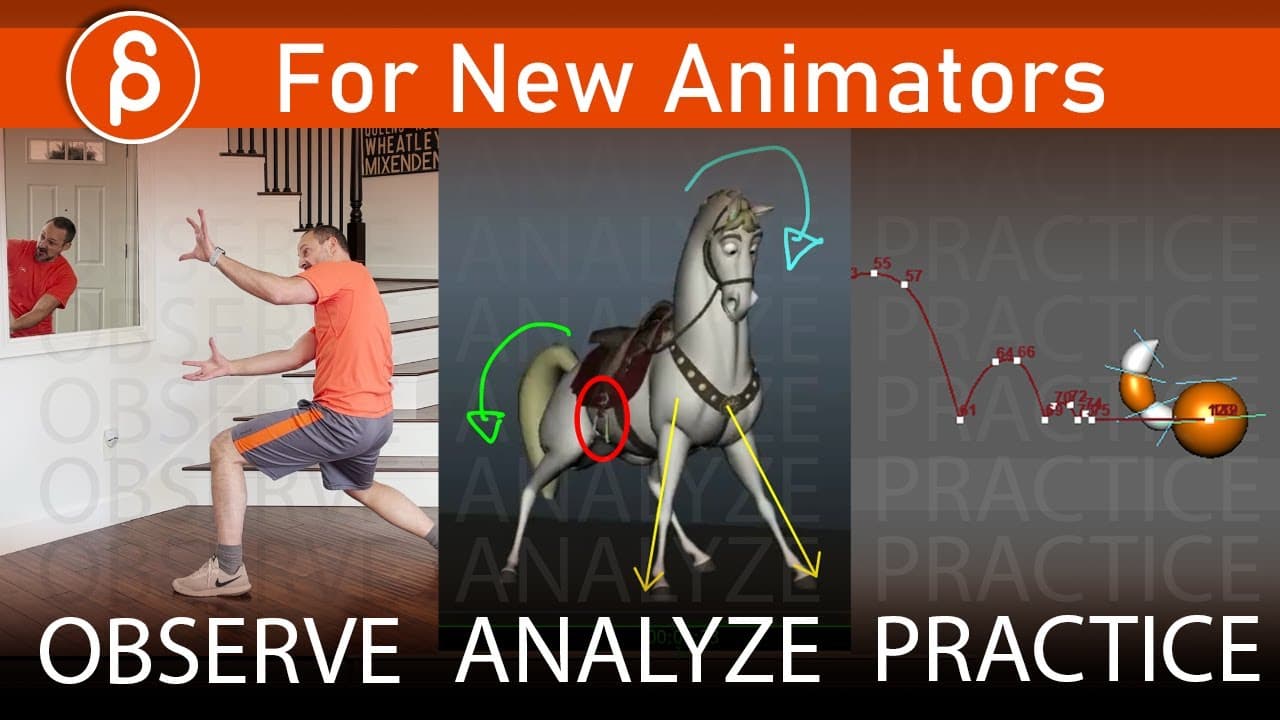
Are you struggling with your sense of timing in your animation? In this video I break down my 3 main tips: Observe / Analyze / Practice They have helped me tremendously throughout my career and I hope it's helpful to you too! Here's the Maximus animation by Daniel Peixe: https://twitter.com/danielpeixe76/status/1230640839933583360 Here are more animation lectures of mine: https://www.youtube.com/playlist?list=PLxFjjyAzIHYKbRdKo8V7T8DyukOBorLMz The 3D Animation Interships channel https://www.youtube.com/channel/UCsmMJdrZJnMQ4G7hPfBwNMQ The Motion Actor Channel: https://www.youtube.com/c/MotionActorInc/videos The Frame by Frame Twitter account: https://twitter.com/TheFramebyFrame My Acting Analysis playlist: https://www.youtube.com/playlist?list=PLxFjjyAzIHYJnnaVZFx6--GBYJ8WmOiV2 What experience do I offer? ✔️ Animation Supervisor at Warner Brothers Animation / formerly ILM (17+ years) ✔️ Teacher at Animation Mentor/Academy of Art University/my workshops (15 years) ► IMDB: https://www.imdb.com/name/nm1940902/ Need tips and help with your animation at an affordable price? ► Sign up for my Spungella Animation Workshop! $499! No minimum level requirements! From beginner animation up to advanced acting pieces! You get unlimited planning discussions and 16 video reviews, which can be weekly or every other week or whenever you want/can submit, they never expire! Example reviews are available here on my channel. Email: [email protected] FAQ: http://spungellaonline.blogspot.com/p/faq.html ▬▬▬▬▬▬▬▬▬▬▬▬▬▬▬▬▬▬▬▬▬▬▬▬▬▬▬ Follow Me: ► Twitter: https://twitter.com/jeandenishaas ► Instagram: https://www.instagram.com/jeandenishaas ► Website: http://jeandenishaas.com For sponsorship, product reviews, and collaboration, you can email me here: [email protected] ► Did you like this video? Subscribe! https://youtube.com/jeandenishaas?sub_confirmation=1 Do you have rigs you want me to post and review? Email me: [email protected] ▬▬▬▬▬▬▬▬▬▬▬▬▬▬▬▬▬▬▬▬▬▬▬▬▬▬▬ The music I'm using in all of my clips is from Epidemic Sound: https://www.epidemicsound.com/referral/exvg3n/ (referral link, thank you!) The screen capture tool I'm using: https://screencast-o-matic.com/refer/cIef3p8q7 (referral link, thank you!) The critique tool I'm using: http://zurbrigg.com/keyframe-pro Prefer to listen to my posts? ► Check out my Spungella Playblast Podcast: https://www.youtube.com/watch?v=sqSDwmhe2AI Episode List: https://spungellaplayblast.blogspot.com/ Follow Specifically: Spungella Twitter: https://twitter.com/spungella Spungella Website: http://spungella.blogspot.com/ Animation Buffet Twitter: https://twitter.com/animationbuffet Animation Buffet Website: http://animationbuffet.com/ And if you read all the way down to this YOU ARE AWESOME! Thank you for your interest! #spungella #jeandenishaas #animation
About YouTube Real-Time View Count
With SocialCounts.org’s view counter, track your YouTube video’s live view count and YouTube likes count in real time with fast, reliable updates.
Watch every YouTube video live view count rise with our real-time YouTube views tracker—built for accuracy and minimal delay.
Follow YouTube real time views as they happen, using our dedicated view counter for YouTube videos.
Get up-to-date live view count on YouTube and see real-time growth with SocialCounts.org’s smart tracking tools.
Embed Widget
Parameters:
fullscreen=true- Fullscreen countergraph=true- Live graph chartcounter=0/1/2- Select counter (0=likes, 1=views, 2=comments)
URL
Click to copy the embed URL to your clipboard