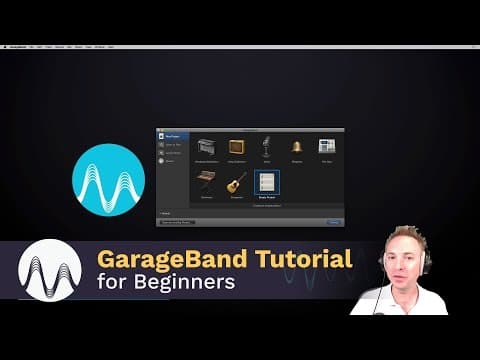
How to Use GarageBand on Mac
Published September 29, 2016

At a glance
Views
212,556
Likes
1,081
Comments
88
Performance vs. channel
All-time outlier score
Engagement rate
More features coming
We're working on new analytics and tools. Stay tuned.
About
This is a GarageBand tutorial for beginners. I walk you through how to start using GarageBand on your iMac and start recording and creating audio. ▶ https://mrc.fm/presets ◀ 🎙 Adobe Audition Presets! 🎧 The audio presets I use. ▶ https://mrc.fm/learn ◀ 🎚 Learn how to master audio production using Audacity or Adobe A…
- Published
- September 29, 2016
- Made for kids
- No
More features coming
We're working on new analytics and tools. Stay tuned.
How How to Use GarageBand on Mac is doing
It has 212K views in total. It ranks #9,633,589 among tracked YouTube videos by views.
Key facts about How to Use GarageBand on Mac
- Total views
- 212K
- Total likes
- 1.08K
- Total comments
- 88
- Published
- September 29, 2016
- Global rank by views
- #9,633,589
Frequently asked questions
How many views does How to Use GarageBand on Mac have?
How to Use GarageBand on Mac has 212,556 views, 1,081 likes and 88 comments, ranking #9,633,589 among tracked YouTube videos by views.
How accurate are these YouTube video analytics?
View, like, and comment counts come from YouTube's public API and refresh regularly. Growth and revenue figures are estimates built from tracked historical data, so they can differ slightly from what the creator sees privately in YouTube Studio.
What is the outlier score?
How this video's views compare to the channel's usual Shorts or long-form video. A 2x score means double the usual views for that channel, 0.5x means half.
What is engagement rate and how is it calculated?
Likes and comments per view, compared to this channel's typical engagement rate — shown as above or below what's usual for the channel.
How is the revenue estimate calculated?
It's a rough public estimate based on a $0.7–$2.0 CPM (revenue per 1,000 views) applied to view count — not actual creator earnings, which depend on ad rates, audience geography, and monetization settings YouTube doesn't expose publicly.
Is this YouTube video analytics checker free?
Yes. You get 10 free channel and video analytics lookups per 24 hours without an account — logging in, which is also free, removes that limit entirely.