

1,550
likes
127
comments
daily view 0
monthly view 0
Live Analytics
Comments 0
Gravitation (6 of 17) Calculating the Orbital Period of a Satelite Analytics Table
Income Estimates for Gravitation (6 of 17) Calculating the Orbital Period of a Satelite
Based on this YouTube video's total view count of 138K views and industry-standard rates, the estimated total earning is $97 - $276 through ad revenue. Historical data is not yet available to calculate daily, weekly, or monthly averages.
About Gravitation (6 of 17) Calculating the Orbital Period of a Satelite
Explore Gravitation (6 of 17) Calculating the Orbital Period of a Satelite with 138,113 views, 1,550 likes, and 127 comments. Experience the impact of this video content that has captured audience attention.
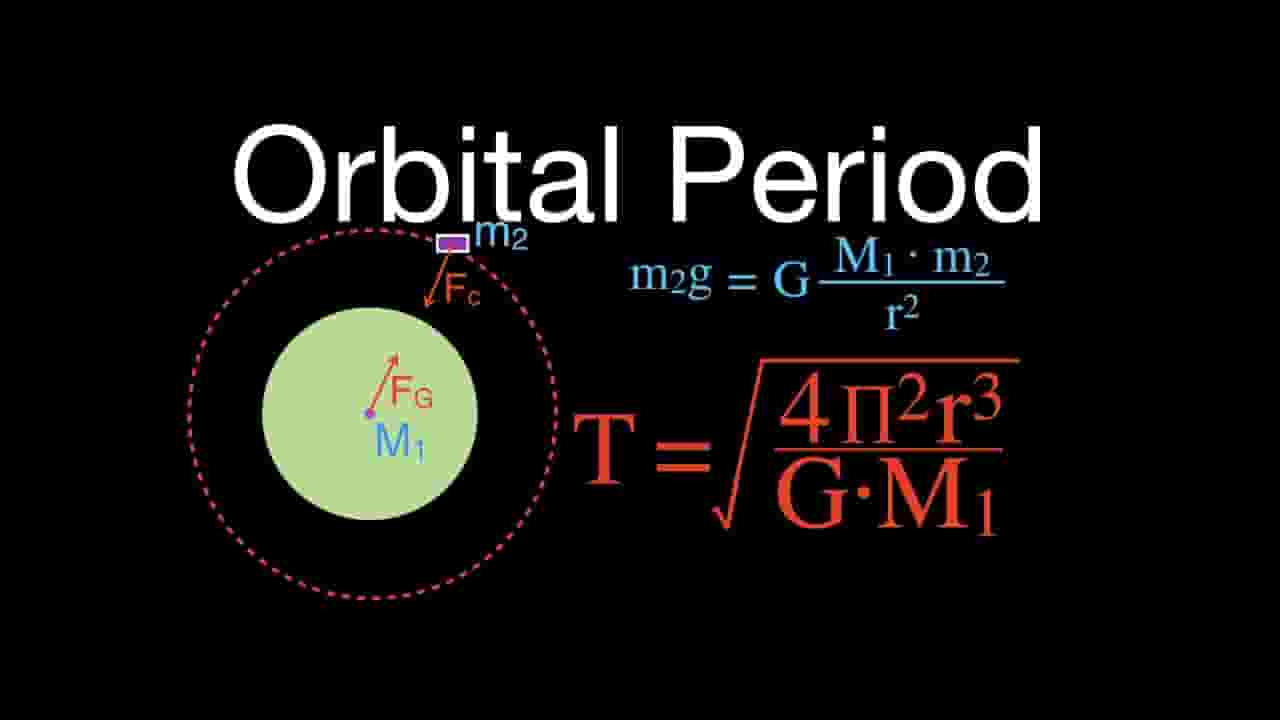
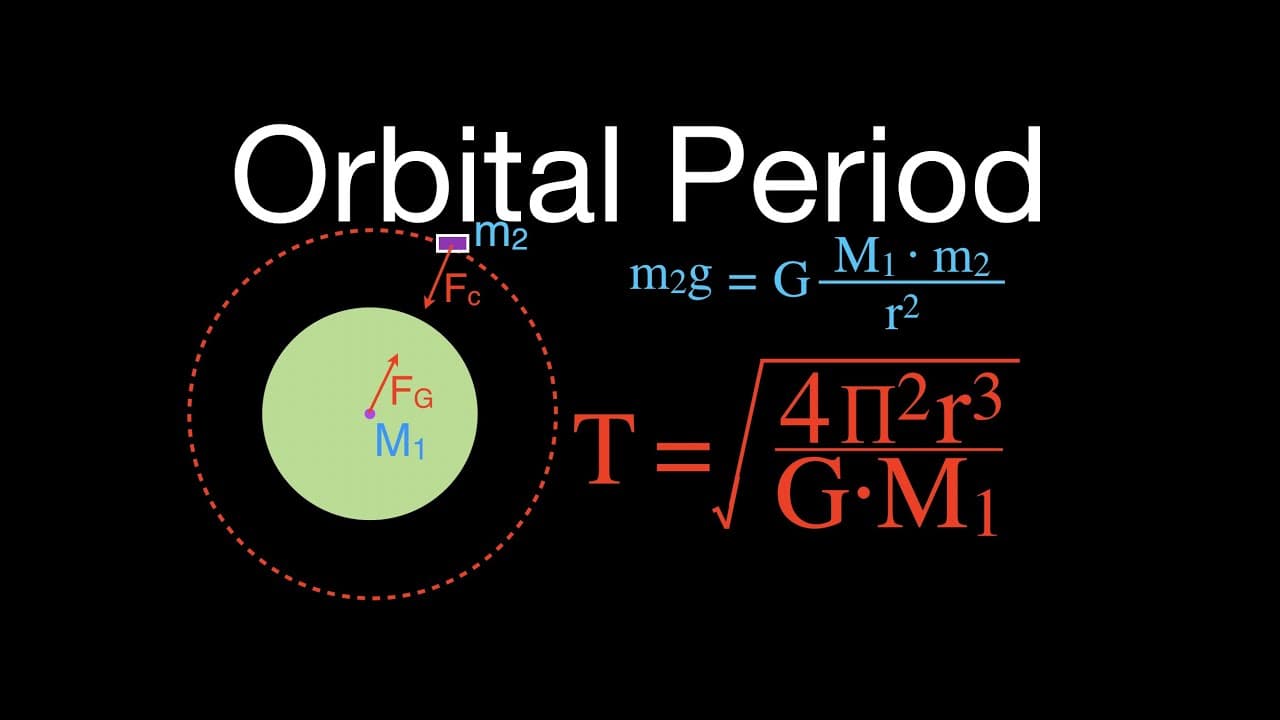
Shows how to calculate the orbital period of a Satellite. The equation for orbital period is derived from Newton's second law and Newton's Law of universal gravitation. The orbital period of the satellite is only dependent upon the radius of its orbit and the mass of the central object. The mass of the satellite has no effect on the orbital period. You can see a listing of all my videos at http://www.stepbystepscience.com Link for sharing this video: https://youtu.be/aFrItoUDA4E Support my channel by doing all of the following: (1) Subscribe, get all my physics, chemistry and math videos (2) Give me a thumbs up for this video (3) Leave me a positive comment (4) Share is Caring, sharing this video with all of your friends
About YouTube Real-Time View Count
With SocialCounts.org’s view counter, track your YouTube video’s live view count and YouTube likes count in real time with fast, reliable updates.
Watch every YouTube video live view count rise with our real-time YouTube views tracker—built for accuracy and minimal delay.
Follow YouTube real time views as they happen, using our dedicated view counter for YouTube videos.
Get up-to-date live view count on YouTube and see real-time growth with SocialCounts.org’s smart tracking tools.
Embed Widget
Parameters:
fullscreen=true- Fullscreen countergraph=true- Live graph chartcounter=0/1/2- Select counter (0=likes, 1=views, 2=comments)
URL
Click to copy the embed URL to your clipboard